

Reply quality is available on the Pro and Ultimate plans (an active trial counts). Accounts below Pro see a blurred preview of this page with an upgrade prompt.
Before anything grades
Reply quality needs two things to produce a verdict: a scorecard for the app, and scoring turned on for it. Until a scorecard exists, the Overview shows the same page you’d see once you set one up, sample-filled and blurred, with a button to create one. Once a scorecard exists but scoring is paused, the page tells you scoring is off and links to the switch. A reply doesn’t grade instantly, either. Each one clears a short quiesce window after publishing first, so a reply you edit seconds after sending isn’t graded twice against two different drafts. Only replies from the last 90 days are picked up, and only ones published to a real app store integration are eligible — nothing in a draft or preview state is graded.Checks before publishing
When an automation writes a reply with AI and the app has a scorecard, the draft is checked against that scorecard before it goes to the store. You do not need to turn anything on for this.- A draft that passes publishes as normal.
- A draft that fails goes back to the writer once, with the check that failed and why, the exact sentence that caused it when there is one, and the text of the rule it broke for a custom check. The writer keeps the review, its first draft and everything it looked up, so the rewrite is a correction rather than a fresh guess.
- The rewrite publishes. If it still fails a check, it publishes with a flag naming the problem and appears in Flagged.
The verdict and the three tiles
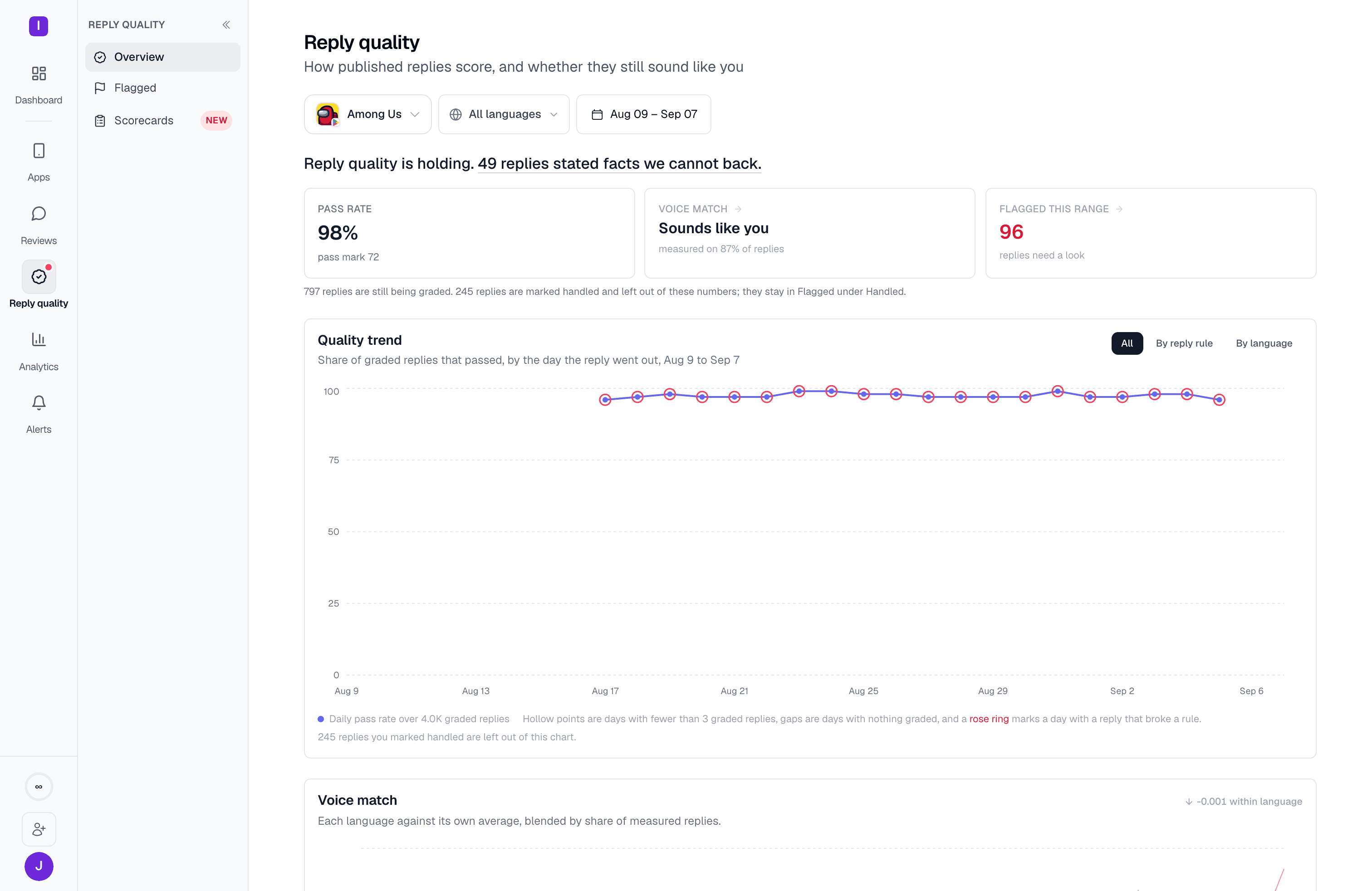
The top of the page reads in one pass: a sentence stating whether reply quality is holding, mixed, or not holding, followed by a link naming the single rule doing the most damage when one exists. Below it:- Pass rate — the share of graded replies at or above the scorecard’s pass mark
- Voice match — whether replies in this range sound like this app’s own history (see below)
- Flagged this range — how many graded replies broke a rule and still need a look, linking straight to the Flagged queue
Quality trend, by rule or by language
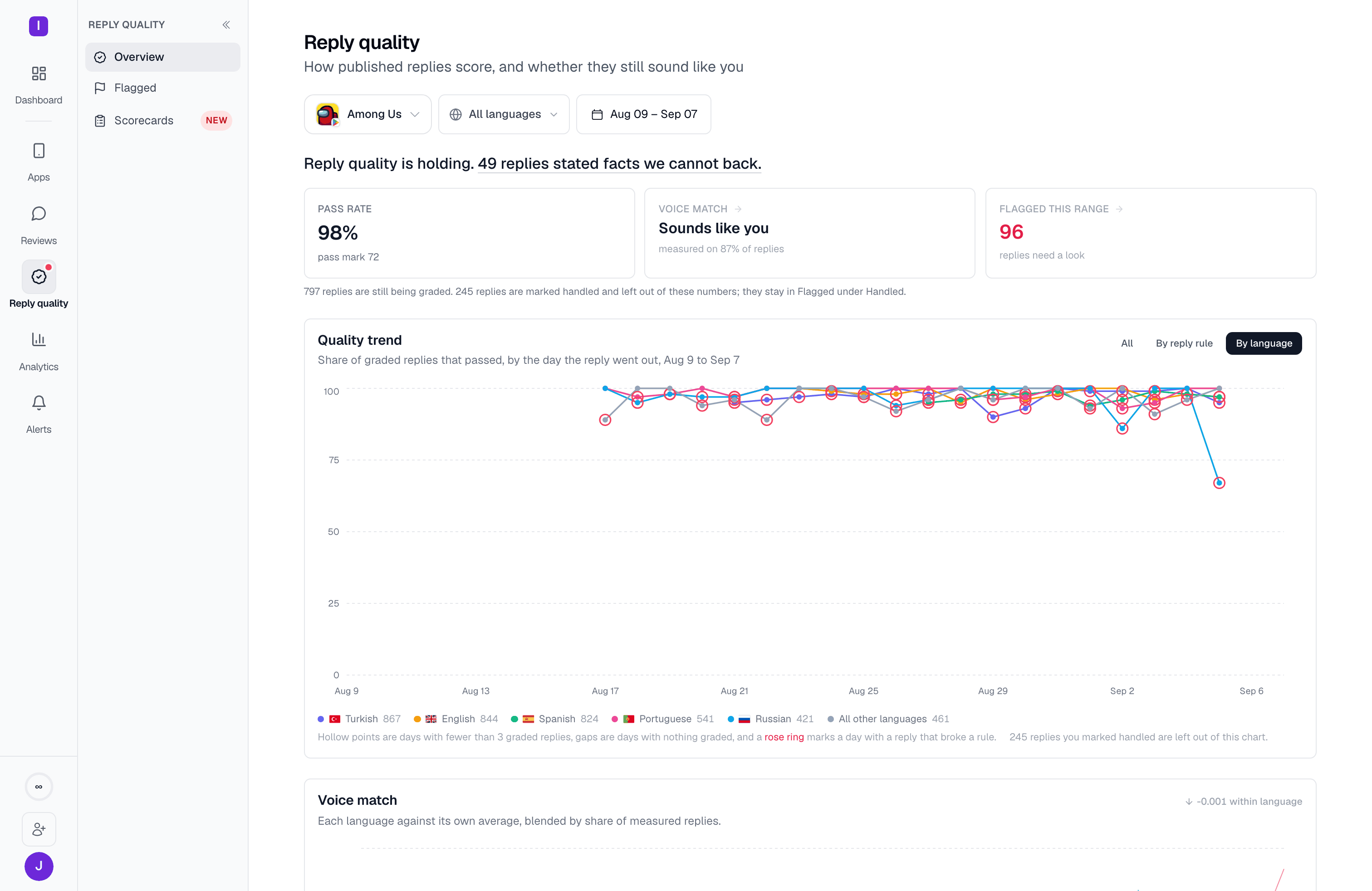
The trend chart plots the daily pass rate over the day each reply was published, not the day it was graded. A day built from very few graded replies renders as a hollow dot rather than a solid one. A rose ring marks a day that contains a reply that broke a rule. The segmented control above the chart splits the same trend three ways: All, By reply rule, and By language. Splitting by rule draws one line per automation that sent replies in range, plus a line for replies a person typed manually.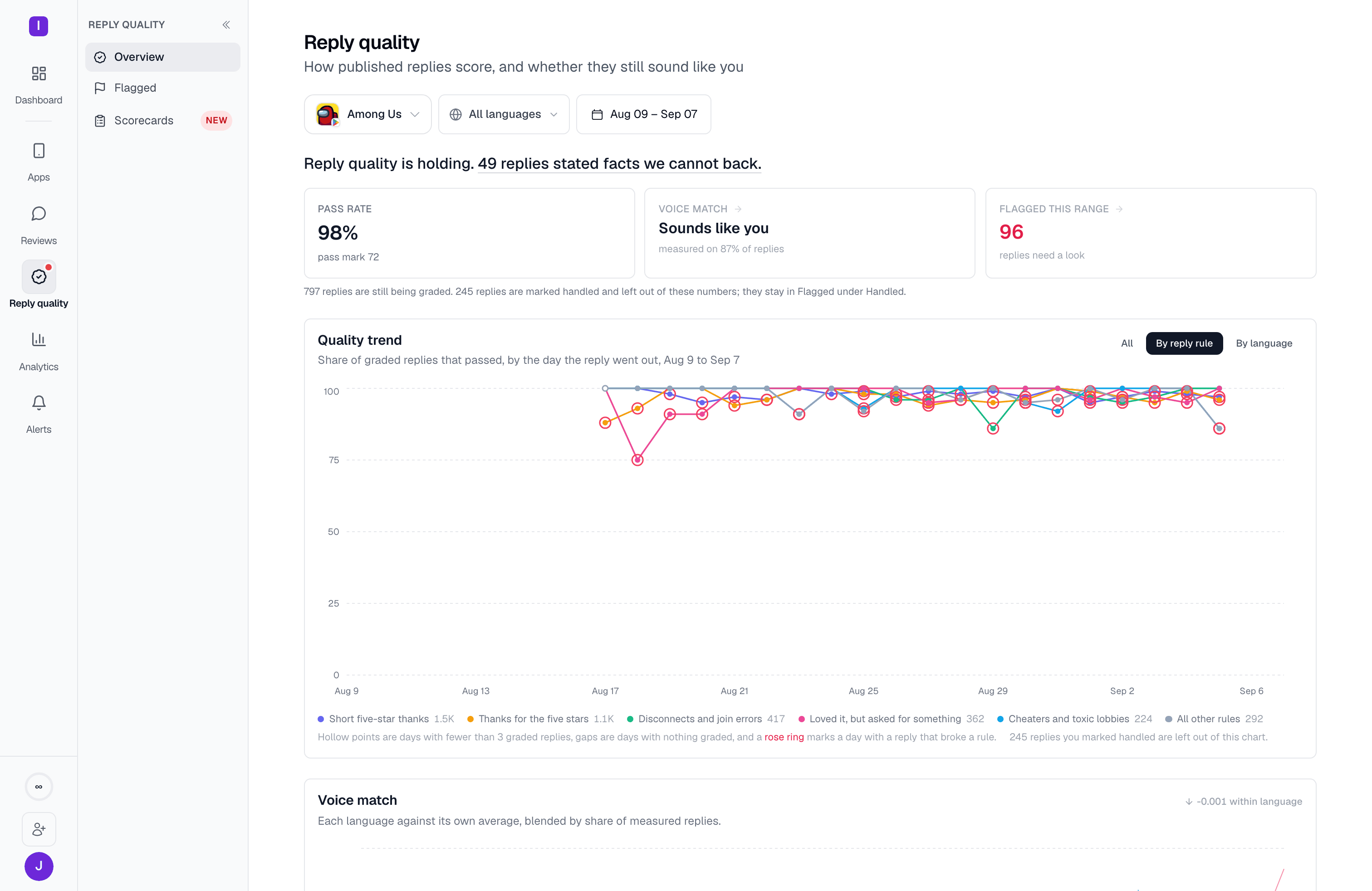
Voice match
Voice match is the one signal on this page that isn’t a rule: it measures how closely a reply’s language matches this app’s own historical reply voice, per language, using embeddings rather than any written rubric. A language needs at least 30 of its own replies embedded before it has a baseline to compare against; until then that language shows as a progress ladder (“English 24 of 30”) instead of a chart.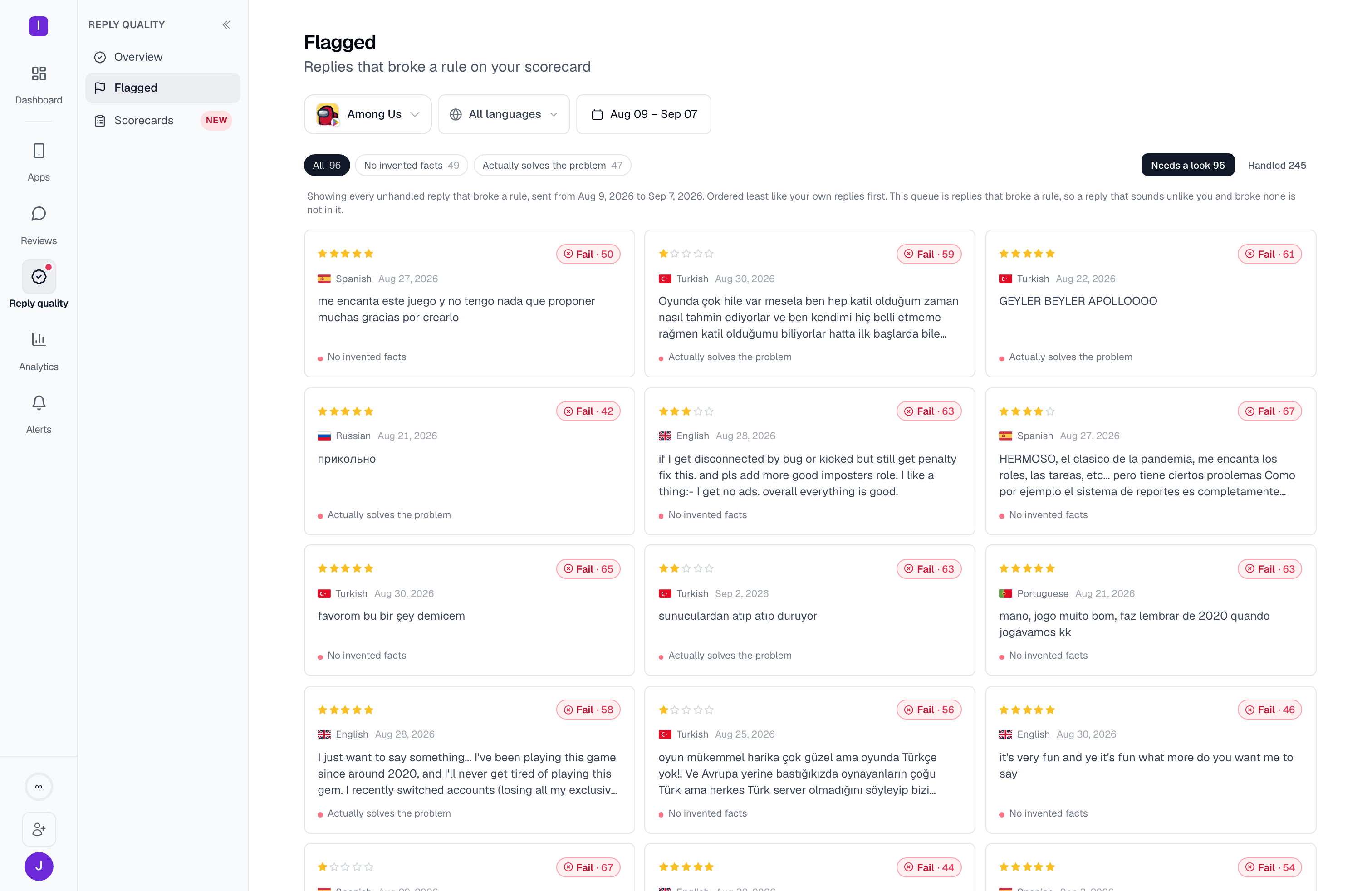
The worst replies in range
Below the trend and voice charts, a small teaser shows the worst replies currently flagged and unhandled in this date range — the ones that broke a critical rule, or scored lowest — as a preview of the full Flagged queue.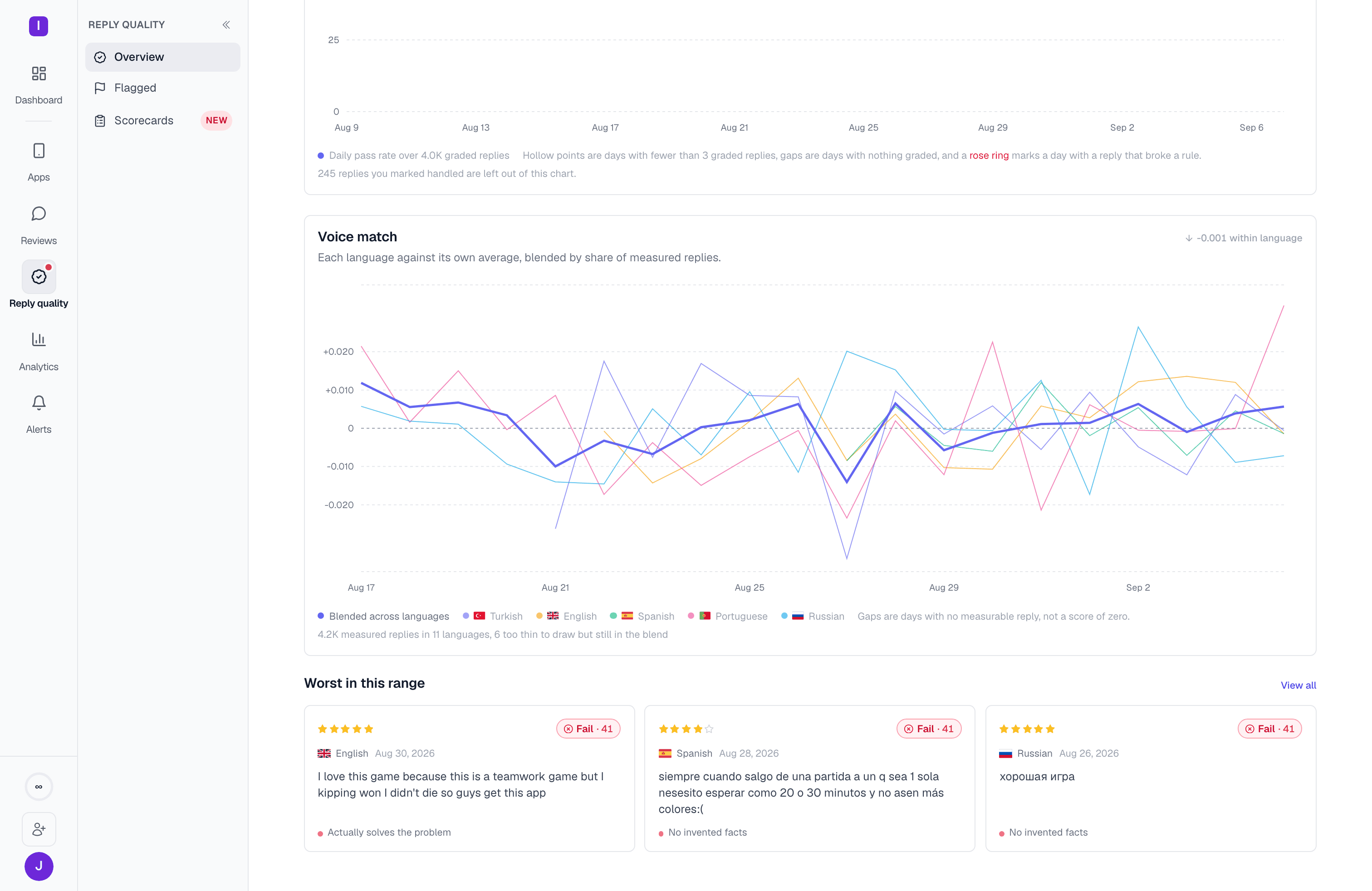
Flagged queue
Triage the replies that broke a rule and still need a look
Scorecards
Build and edit the rubric your replies are graded against