

Track competitors, not just your own app
The Applications page holds your own connected titles alongside competitor apps you track read-only, side by side in one list — useful for keeping an eye on how a rival’s update or outage is landing with players.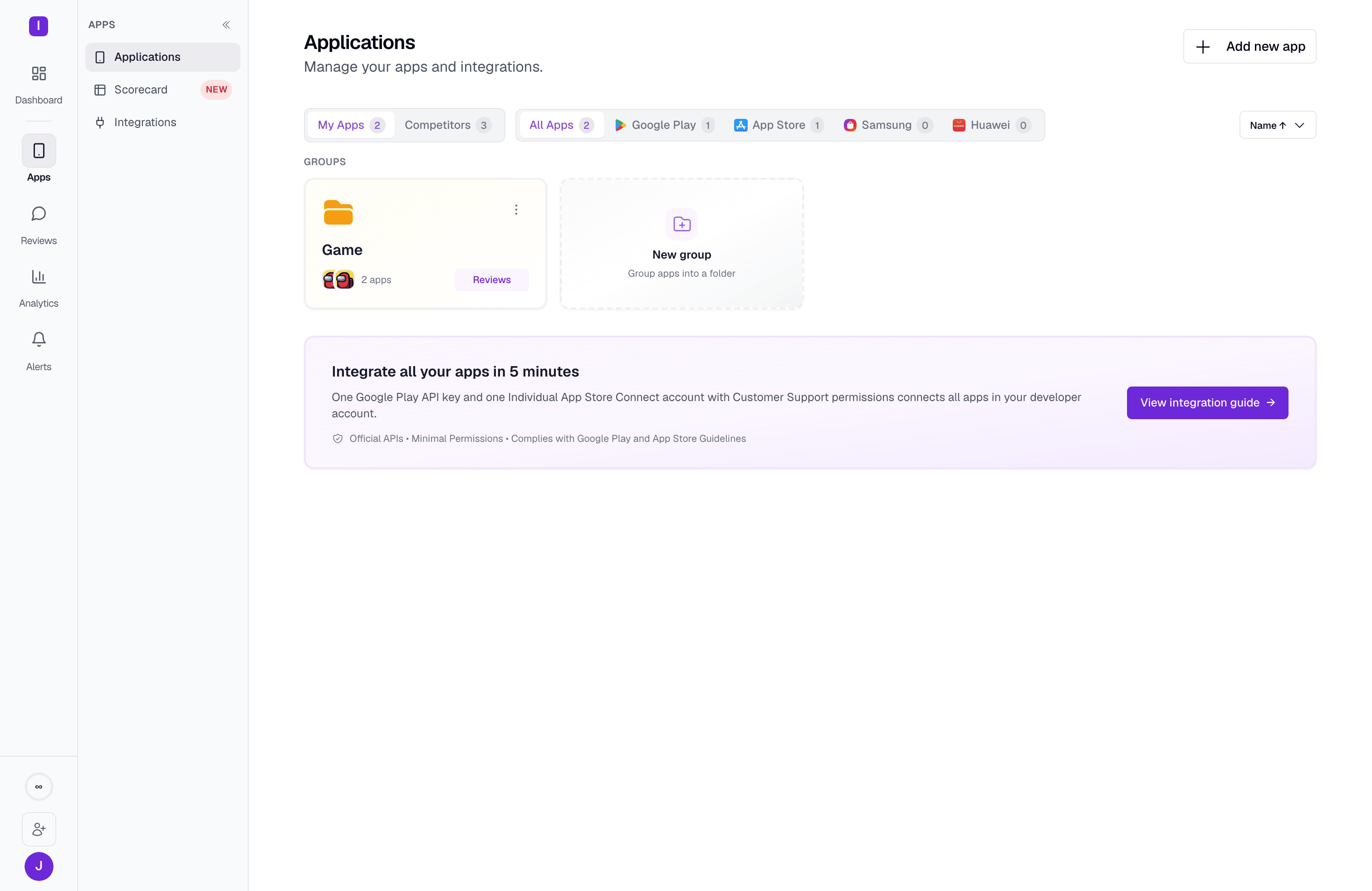
Catch a review spike while it’s still forming
Live games get hit with review pile-ons: a matchmaking outage, a busted patch, a wave of “hackers ruined my match” reviews after a cheating incident goes viral. Analytics > Insights tracks review topics week over week as “arcs” — each one badged Trend or Anomaly, and Needs attention or Going well — so you can see whether an issue is still climbing or has already peaked and receded.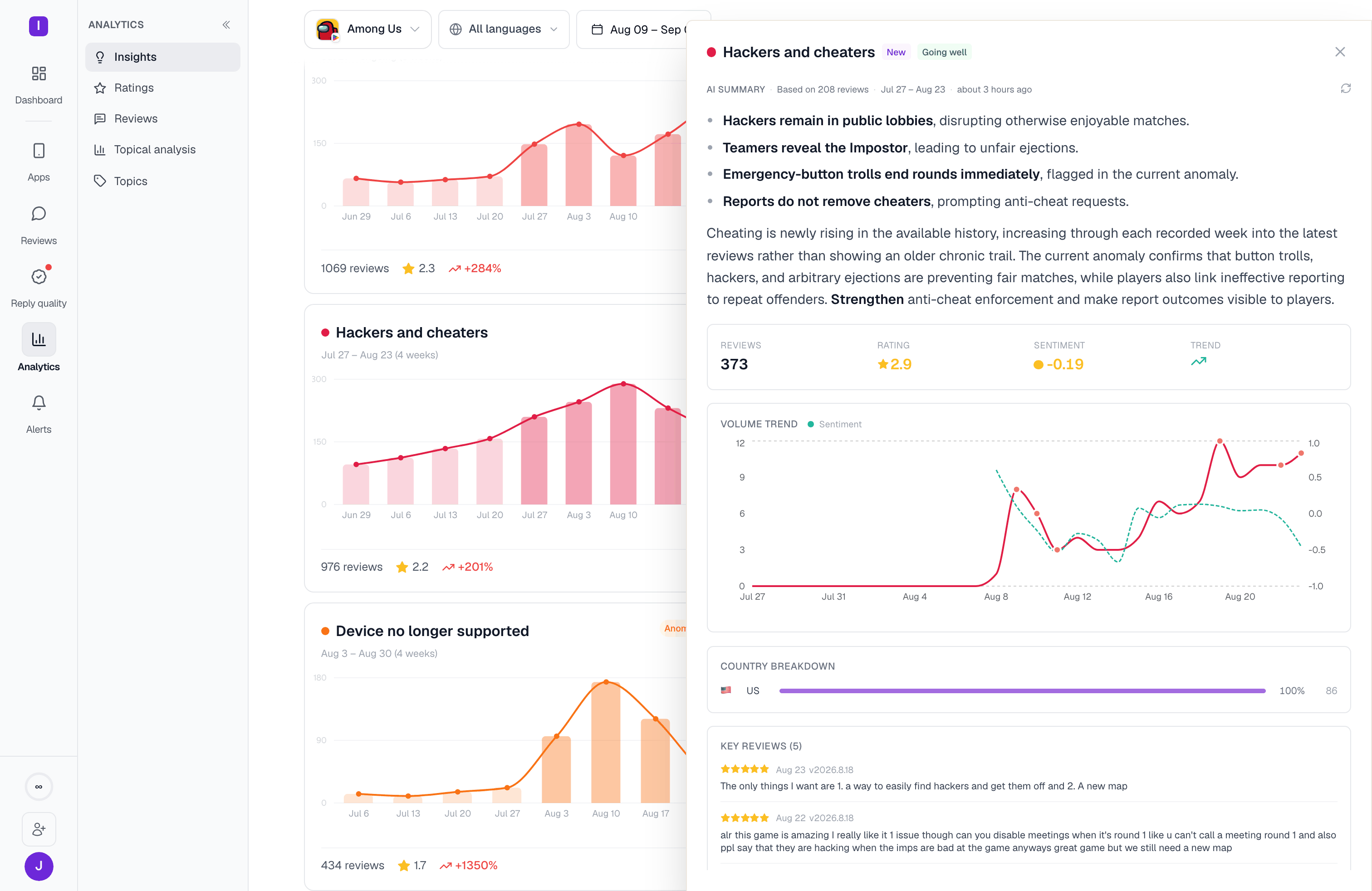
Reply at the pace a live game demands
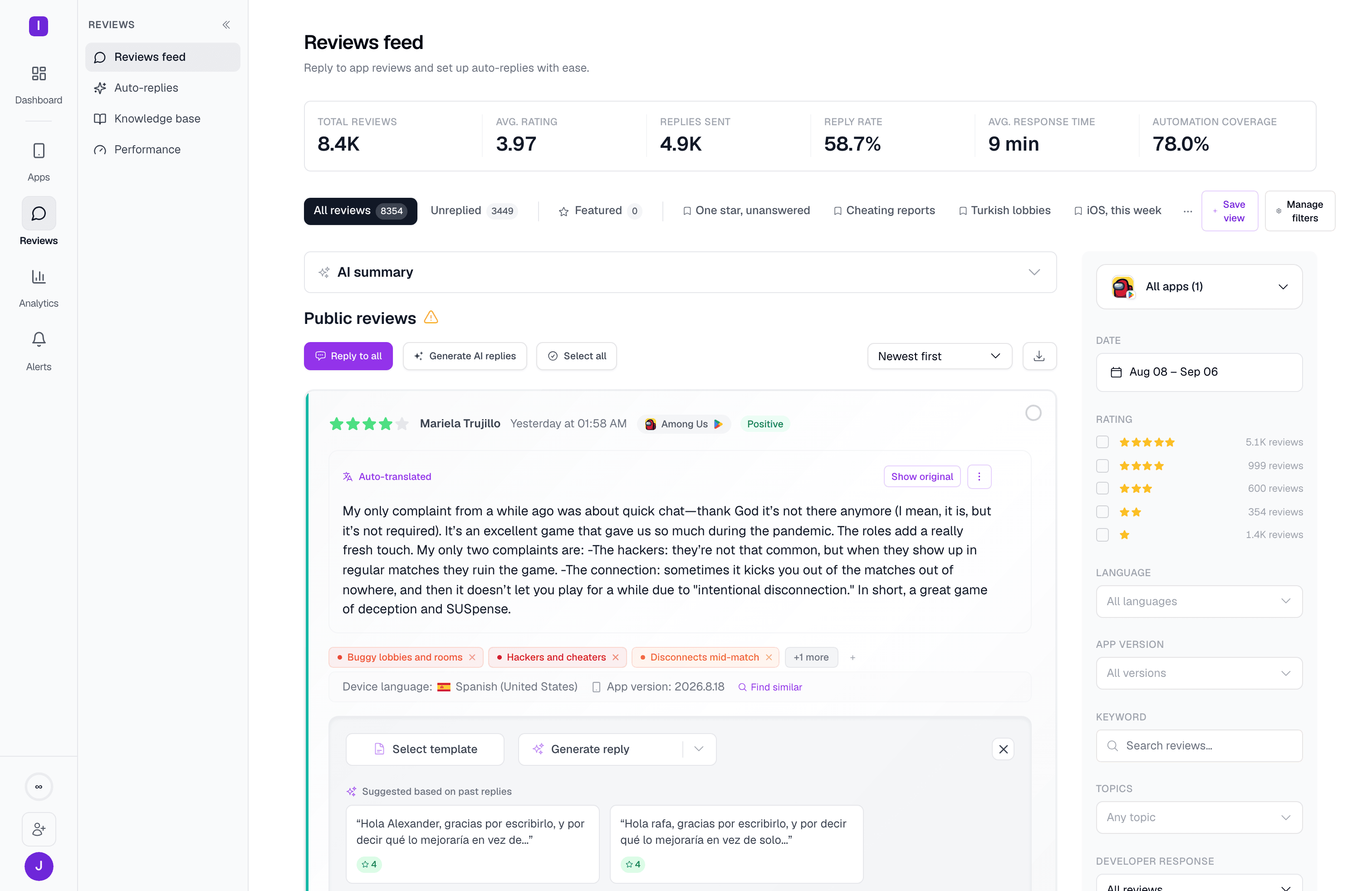
A game with regular content drops generates a steady stream of reviews across every store you’re on — Google Play, App Store, and often Samsung Galaxy Store, Huawei AppGallery, or RuStore depending on your regions. Automations let you set rules once — thank 5-star reviews, ask frustrated players what happened, acknowledge bug reports — and apply them across every connected app and platform. A rule you write for one title’s Google Play listing can cover its App Store listing too. Automations that reply with AI can be scoped to a specific AI memory tier: No Memory, Basic Memory, or Agentic Memory. That matters for a live game, where the same bug or event can get reported hundreds of times in a week and you don’t want every reply to look identical.Build your first automation
Set up rules by rating, keyword, language, and app
Organize what players are actually saying
Bug reports, monetization complaints, and feature requests all come in as free text. Topics groups reviews into a shared taxonomy — curated categories like Issues and Bugs or Monetization, plus topics you define yourself — so you can see “connectivity,” “pay-to-win,” and “matchmaking” as trends instead of scrolling one review at a time.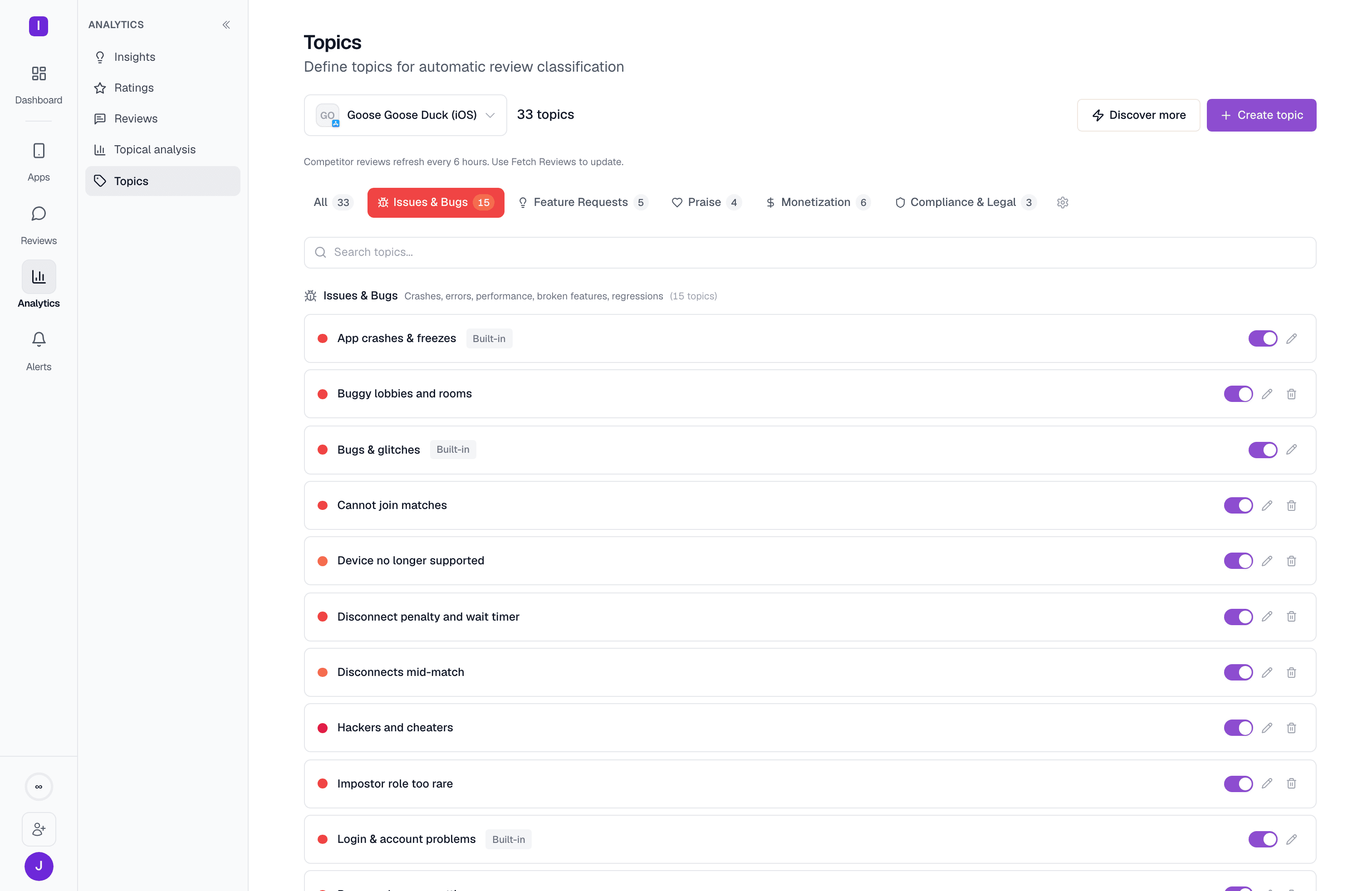
Where to go next
Quickstart
Connect your first app and send your first reply
Automations
Build rules that reply automatically based on rating, keywords, and language
Applications
Connect apps and add competitor titles to track
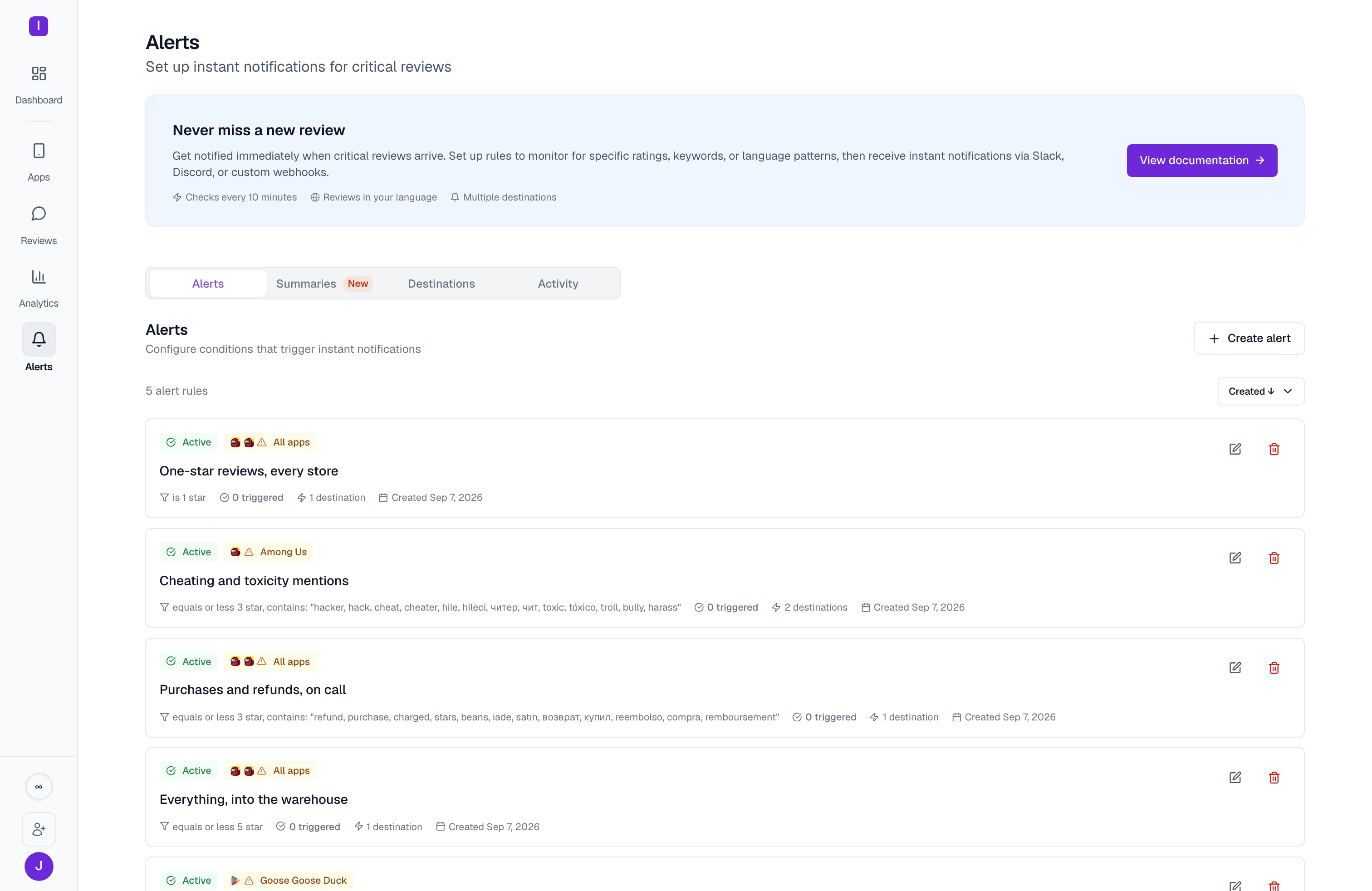
Alerts
Get notified the moment a critical review comes in