

The UI mechanics of all four tabs — every field, every modal — are covered in the Knowledge base page reference. This page is the map of how they fit together; that page is the manual for each control.
Why grounding matters
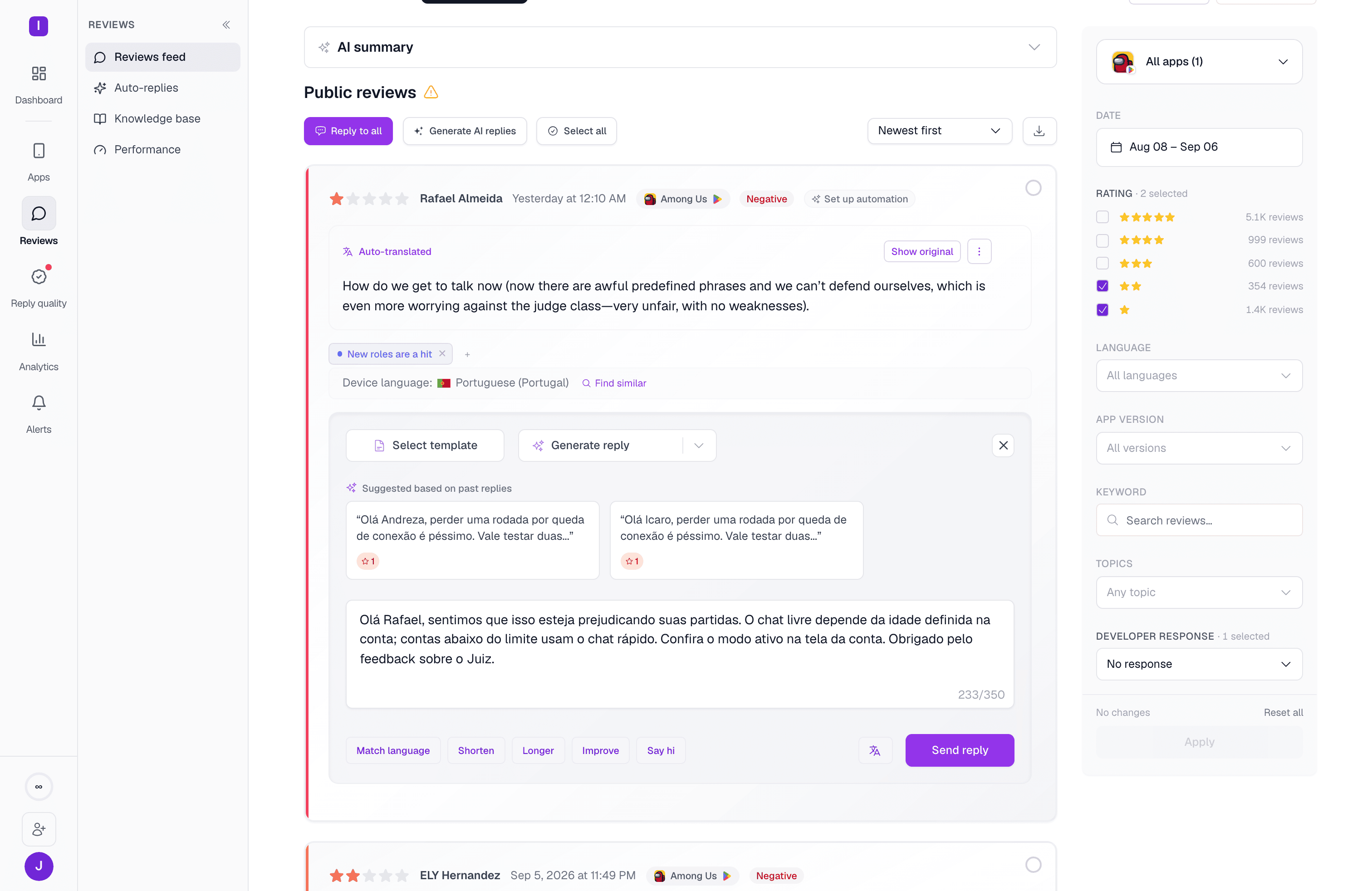
A generic AI reply apologizes. A grounded one points a user at the actual fix — because it was given the actual fix to point at. The screenshot above shows this working end to end: a Portuguese-language review about an age gate got a Portuguese-language reply that references the app’s real account and age-verification flow, because that content lives in the knowledge base. Without it, MAX would still reply, but with something closer to “Thanks for the feedback, we’re looking into it.”How the four inputs combine
At generation time, for a given review, AppReply pulls:- The documents scoped to that review’s app (or marked “All apps”), retrieved by relevance to what the review is actually about.
- The org’s or app’s AI instructions (for manual replies) — the default instruction if one is set, or whichever you pick from the dropdown.
- The voice profile for that app, if AppReply MAX has learned one (Pro plan) — steering phrasing and sign-offs toward how your team actually writes.
- The AI-disclosure phrase, appended after the reply is drafted, if your org has one configured for the review’s language.
Reply quality grades against this, too
If your plan has reply quality turned on, two of its scorecard criteria grade replies directly against these inputs: Actually solves the problem checks a reply against your knowledge base, and Follows your reply guidance checks it against your AI instructions. Neither criterion can score anything until the corresponding input is configured for the app — they abstain rather than fail, which is the expected state on a fresh scorecard, not a bug.Documents & sources
Uploaded files, written articles, and crawled URL sources — and how they’re chunked for retrieval
Knowledge base page reference
Every tab, field, and modal on the Knowledge base page
AI instructions
Reusable guidance the AI follows when generating manual replies
AppReply MAX
How the Voice & style profile is learned from replies you’ve already sent