

Prerequisites: AppReply MAX requires app integration.
What MAX actually does
Similar-reply retrieval
Similar-reply retrieval
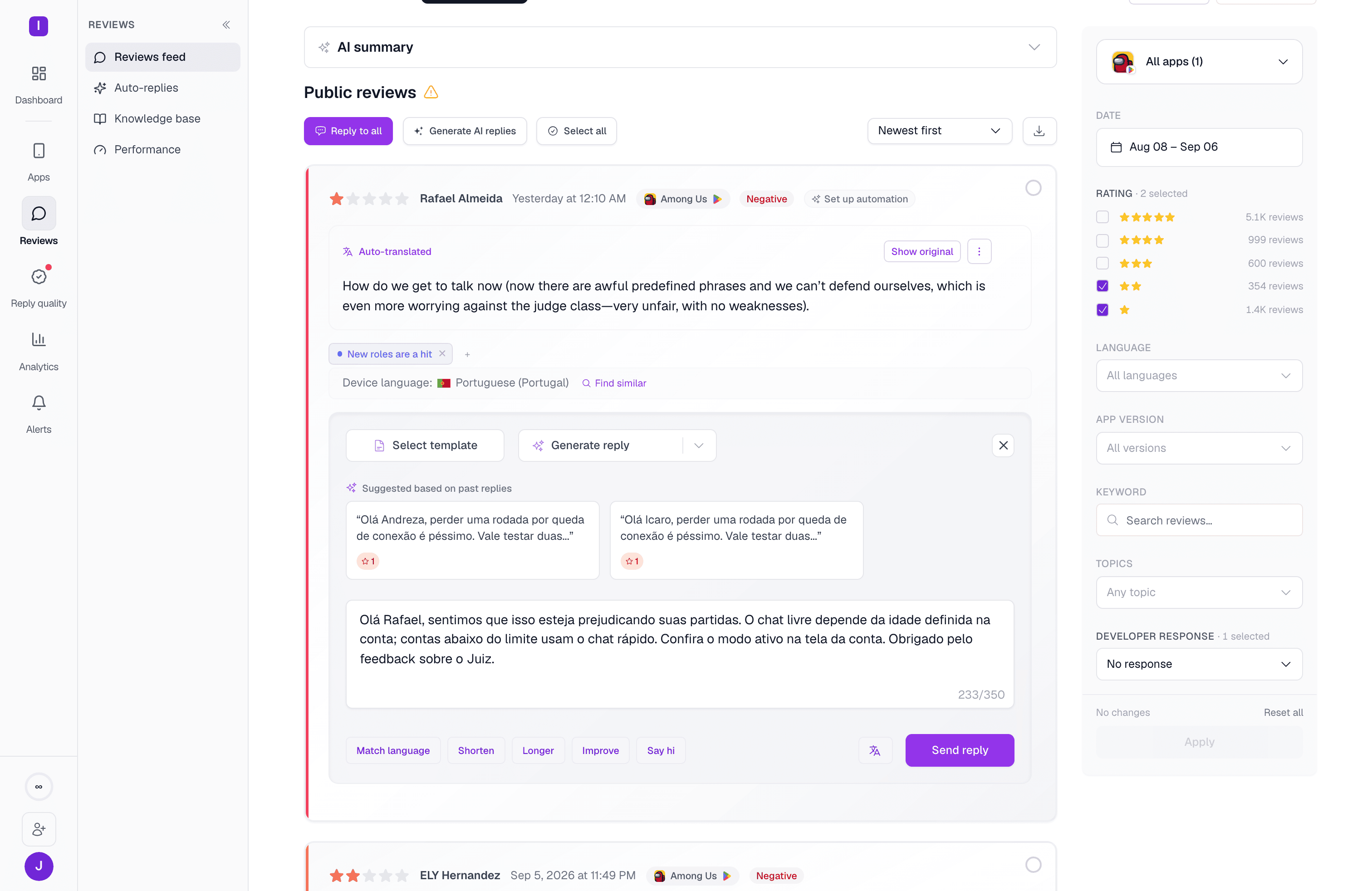
When you click Generate reply, AppReply embeds the review and searches your app’s past responses for the closest matches, then reranks the top candidates before handing them to the model as examples. This is why you’ll often see “Suggested based on past replies” chips before a full draft appears (Pro plan).
Knowledge base grounding
Knowledge base grounding
If a matching knowledge base document exists — a support article, an FAQ, a crawled help page — the draft is written with that content in hand, so it can point to a real fix instead of a generic apology.
Customer-scoped voice profile
Customer-scoped voice profile
On the Pro plan, AppReply also derives a per-app voice profile (“Agentic Memory”) from your published replies — tone, phrasing, sign-offs, recurring details — and retrieves relevant examples from it for each new draft. You can see and override this profile under Knowledge base > Voice & style.
Manual and automated, sharing the same context
Manual and automated, sharing the same context
The same retrieval runs whether a reply comes from you typing in the Reviews Feed or from an automation rule, so an automated reply can sound as grounded and on-voice as a manual one.
Manual replies feed automated ones
Every manual reply you publish becomes something the next AI-generated reply — manual or automated — can be drawn from. Reply manually for a while first and MAX has real examples of your team’s voice to retrieve from; automation rules you create afterward start from that same context rather than a generic model.Similar-reply retrieval and knowledge base grounding are part of AI reply generation on any paid plan. The customer-scoped voice profile (“Agentic Memory”) is a Pro and Ultimate plan feature.
Knowledge base
Manage the documents and voice profile MAX draws on
Reviews feed
See MAX in action when generating a reply