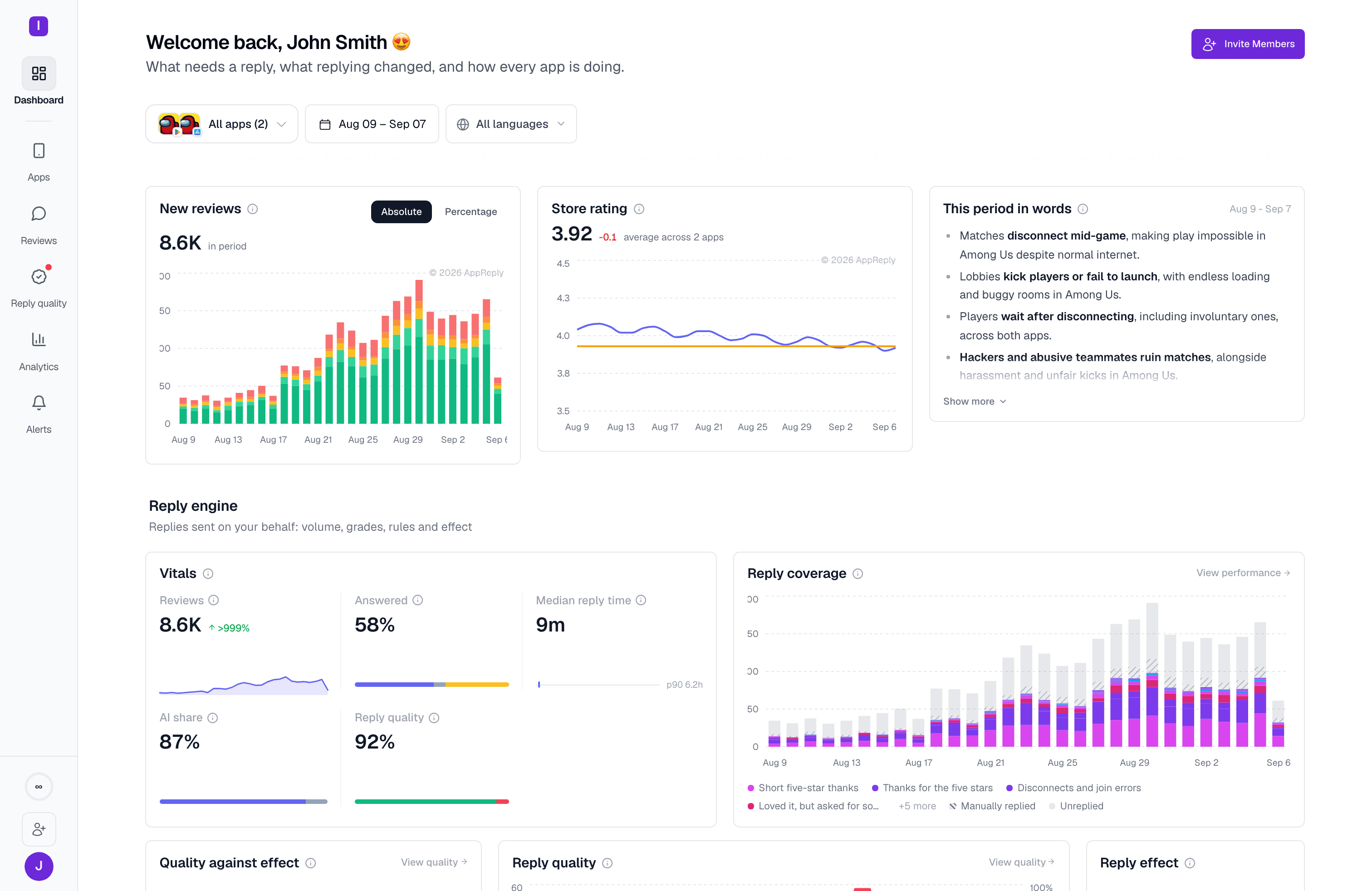
AppReply organization home, showing review volume, store rating, the reply engine, and review intelligence
This guide takes about 15 minutes: connect an app, set your reply voice, and turn on automation. The screenshot above is what your dashboard’s home looks like once everything below is set up — reviews arriving, replies going out, and the AI keeping watch.
Prerequisites: before you begin, create an account with your work email and complete onboarding.

Getting started

After you complete the onboarding process, your organization will be set up, and your first app will be added.
1

Add your apps

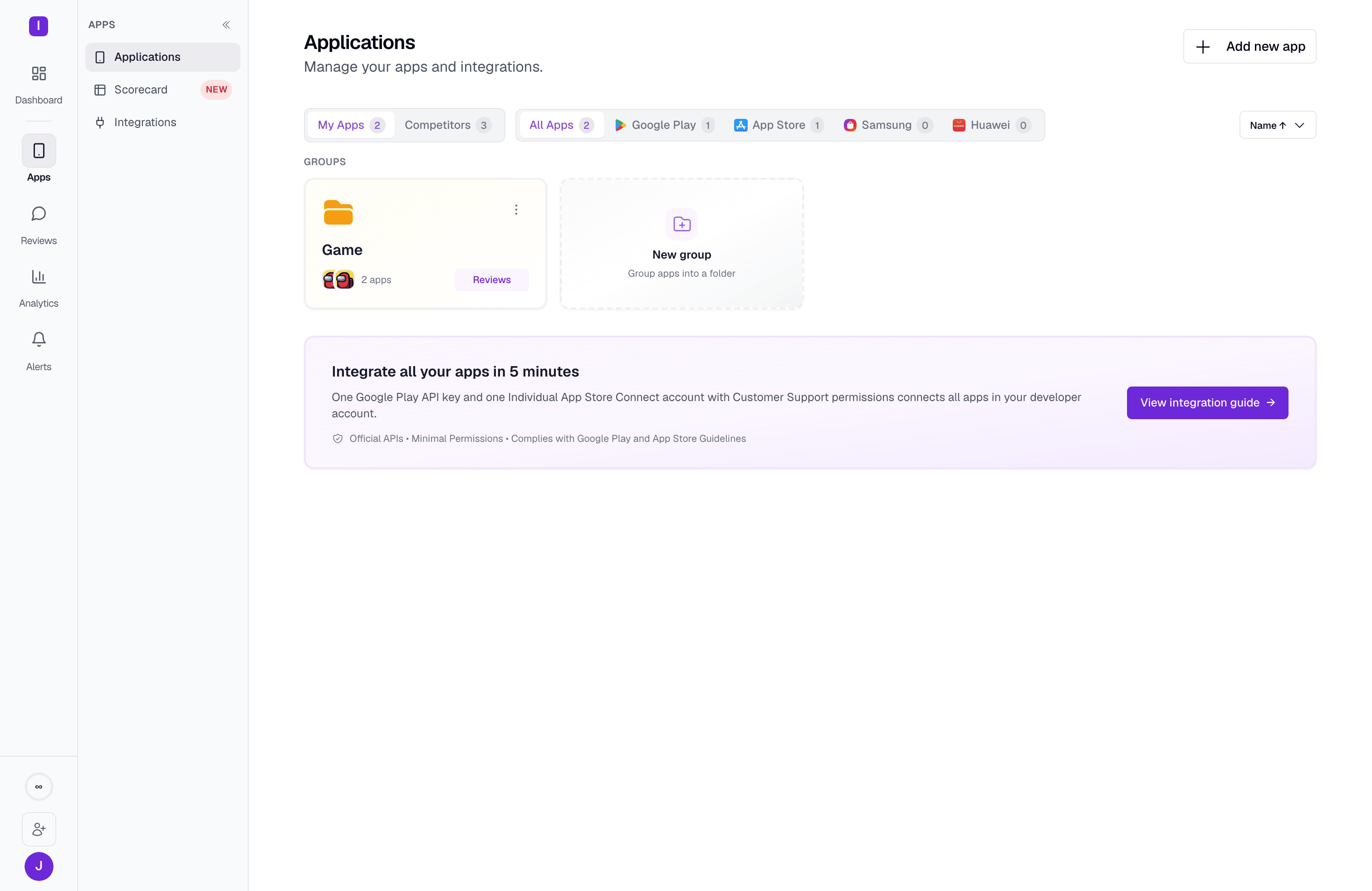
Applications list showing owned apps and tracked competitor apps
Head to Applications in your dashboard and click Add new app.Type your app name or paste its Google Play or App Store URL, and AppReply fetches its metadata automatically — name, icon, average rating, and more. Your reviews start populating inside the dashboard right away.For Samsung Galaxy Store, Huawei AppGallery, or RuStore apps, use Add from other stores to enter the app ID and name manually.You can select up to 5 apps at once from search results. AppReply keeps everything in one unified inbox, no matter how many titles you manage.The URL format to use if your app isn’t showing up:

Google Play example

https://play.google.com/store/apps/details?id=com.yourapp

App Store example

https://apps.apple.com/app/your-app/id123456789
2

Integrate with app stores

At this stage you can already see reviews and preview replies inside AppReply, but to make replies automated, you’ll need to integrate your store accounts.Integration unlocks the real-time reviews feed (without it, AppReply shows only publicly available reviews) and the ability to publish — including automated — replies.Click your app’s platform to see the integration steps:

Google Play

Connect via OAuth or service account

App Store

Configure App Store Connect API

Samsung Galaxy Store

Connect with Seller Portal API

Huawei AppGallery

Connect with AppGallery Connect API

RuStore

Connect with RuStore Console API
If you’re not ready to integrate yet, you can still draft replies, test AI output, and set up automations in preview mode.
If you’re migrating from another review tool, you can upload the same Google Play service account JSON key or App Store Connect Individual API key (.p8) you already use elsewhere — no need to re-provision credentials.
3

Reviews start arriving

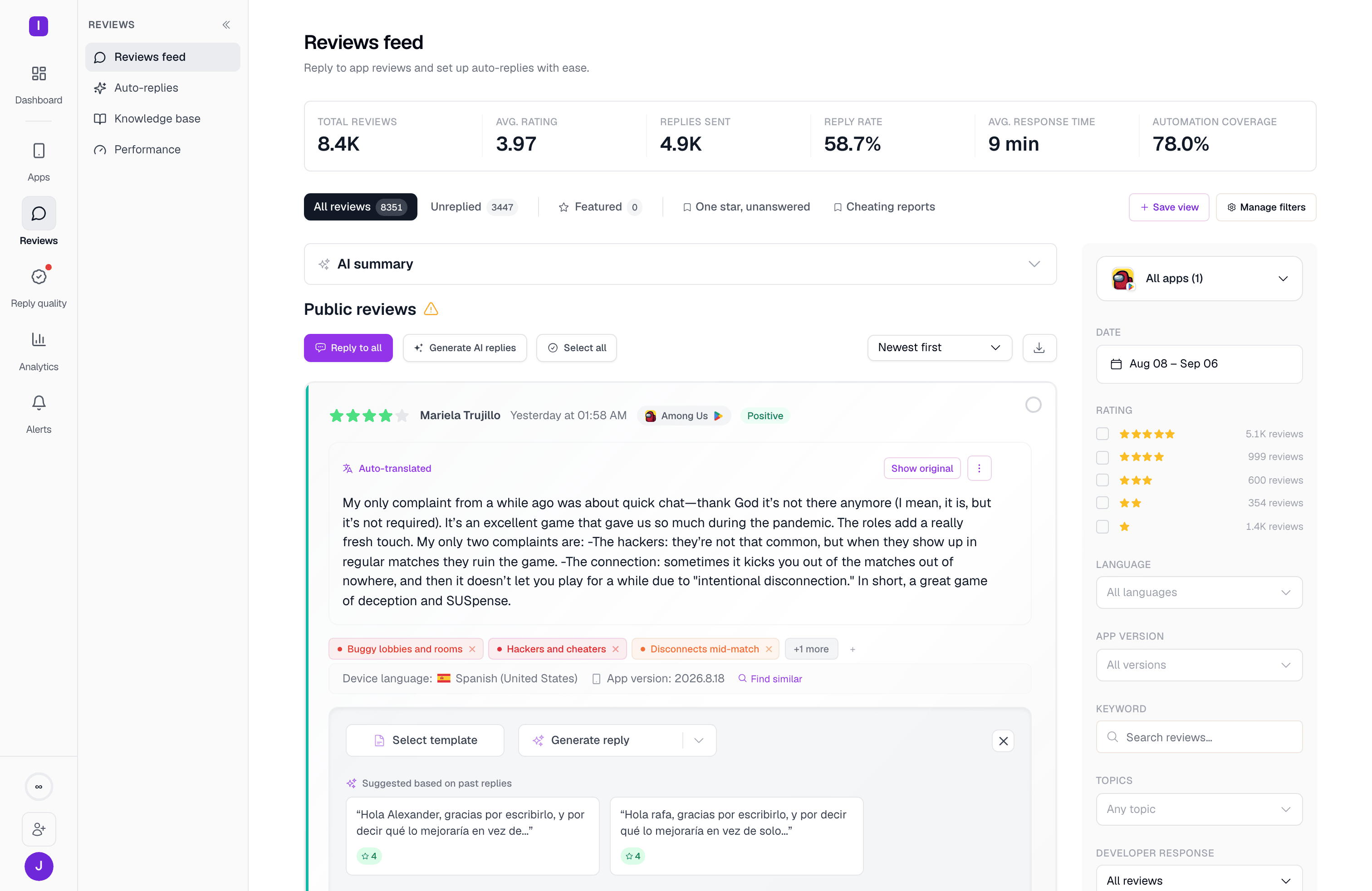
Reviews feed over a 30-day window, with saved views as tabs, the filter rail, and the reply composer
Once an app is connected, its reviews land in Reviews — the central inbox for every review across every app you manage, refreshed in real time.From here you can filter by date, star rating, language, response status, topic, country, app version, or free-text search; save any combination as a named view; and select reviews in bulk to reply, tag, or apply a template to several at once.
4

Define your voice — with templates, prompts, and MAX
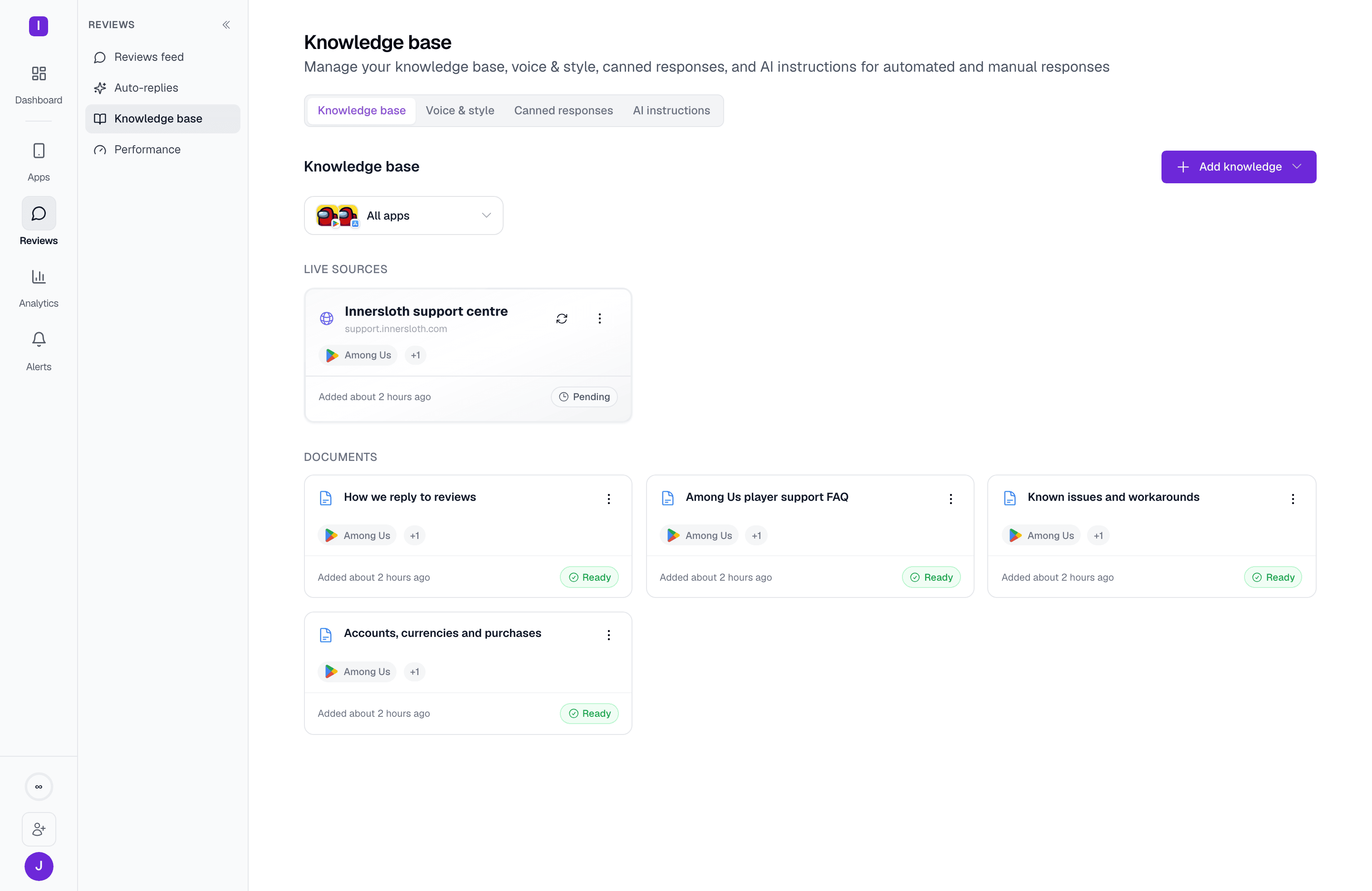
Knowledge base tab with documents that ground AI-generated replies
Now that your reviews are flowing in, shape how you respond.The Knowledge base page has four tabs:
For flexibility over fixed messages, give the AI a custom prompt instead — describe how you want the reply to sound, and it takes it from there.And if you’re on a plan with AppReply MAX, you don’t need to start from scratch at all. MAX learns your team’s voice from your past manual replies and keeps learning from every new one you write in the Reviews feed, so generated replies sound more like you over time.

Learn more about templates

Discover canned responses, AI instructions, and knowledge base sources in depth
5

Automate your replies

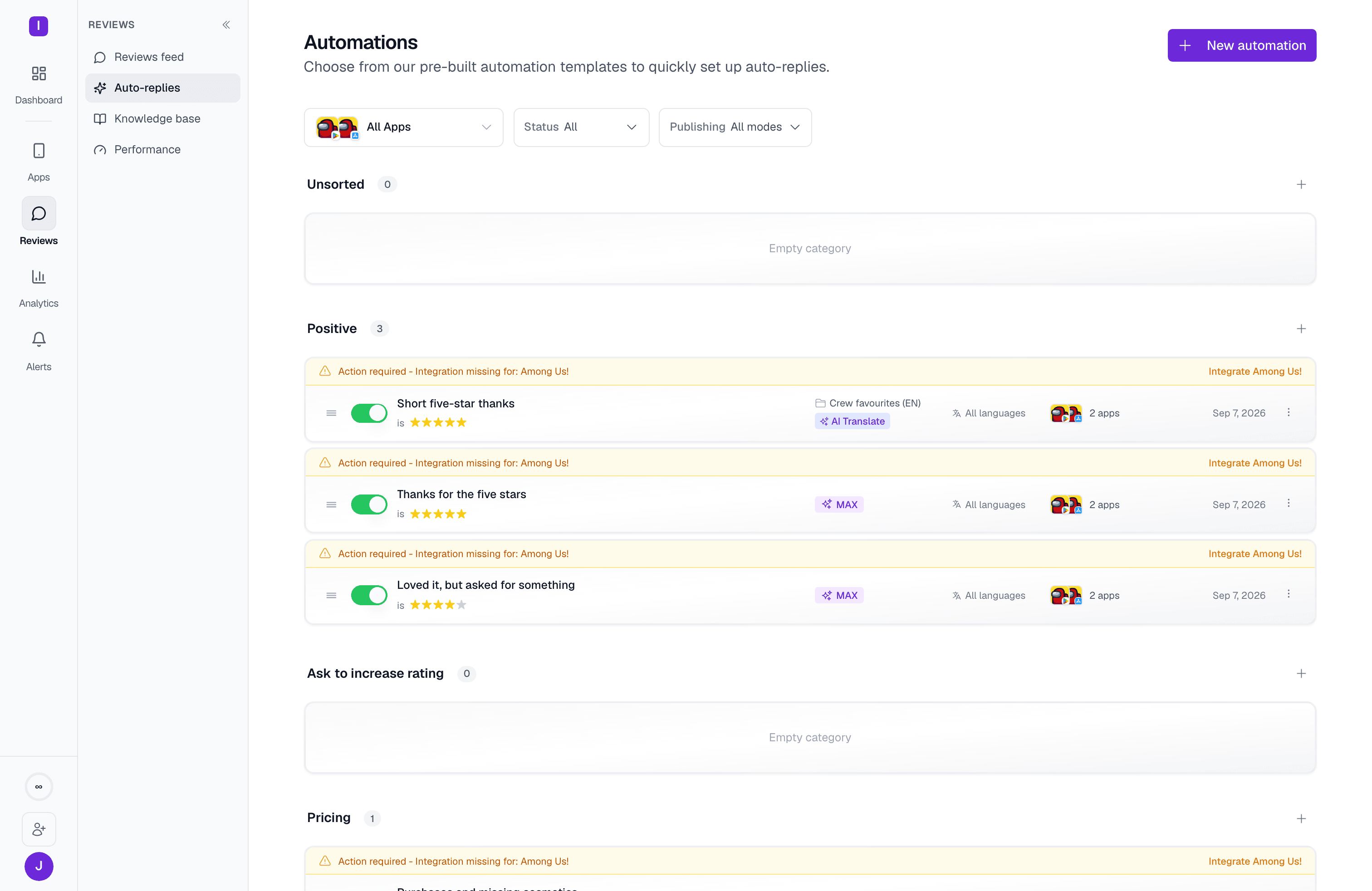
Automations list: reply rules grouped by category, each with its publishing mode
With your voice in place, let AppReply handle the busywork.In Automations, create rules that reply automatically based on conditions — star rating, keywords, language, review length, or featured status. Rules are grouped into five categories (Unsorted, Positive feedback, Ask to increase rating, Pricing issues, Negative feedback), and each one can target multiple apps at once.
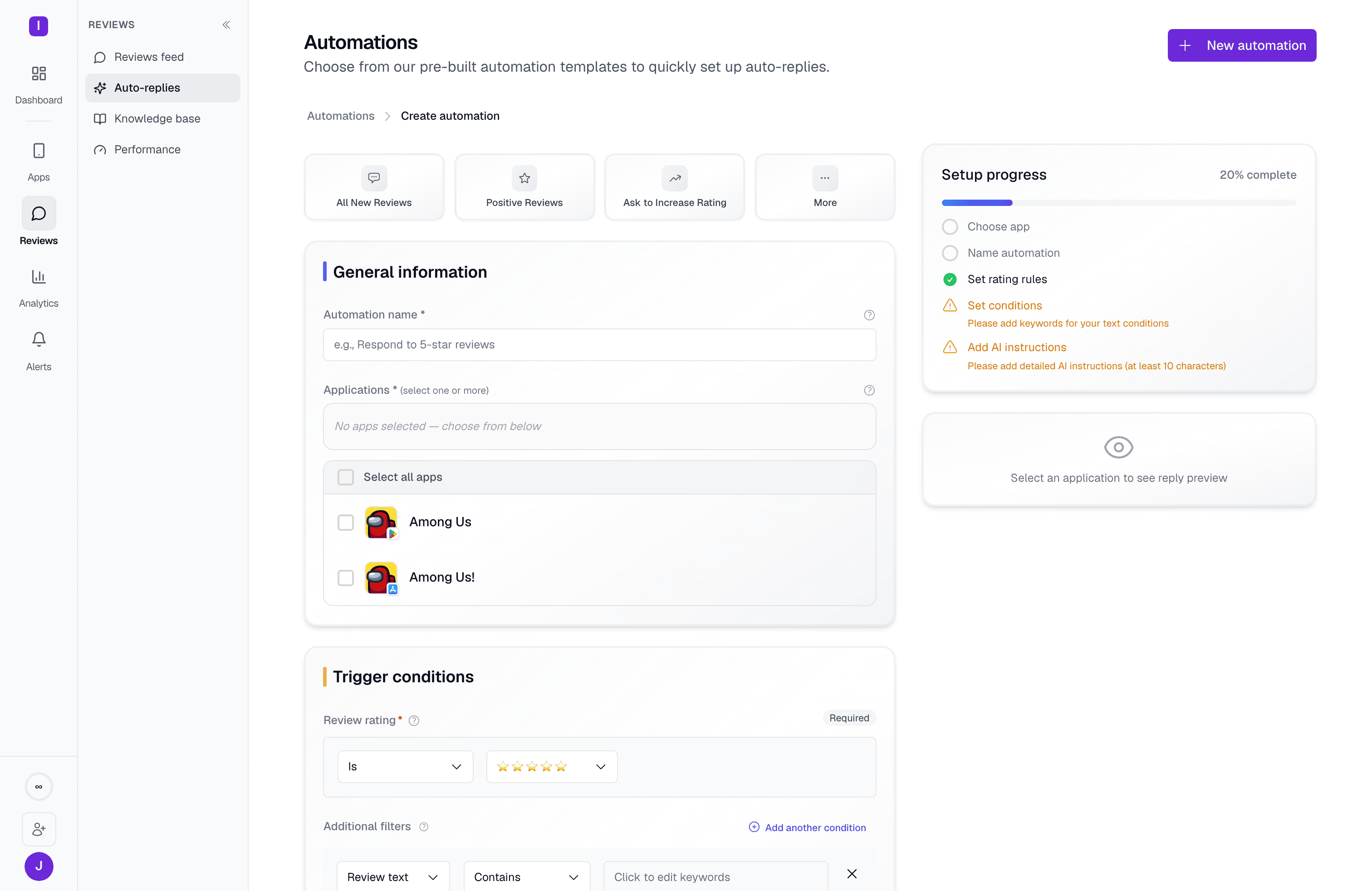
Automation rule builder: conditions on the left, AI instructions and a live review preview on the right
Each rule replies with either a saved template or an AI-generated reply (with optional rephrase and translate), and can be set to publish automatically or hold for your approval before it goes out — useful while you’re still building trust in the automation.
AppReply MAX — automations replying with AI can draw on your team’s manual reply history for extra context. It’s available on the Pro plan and above.
Start simple — one rule for 5-star reviews, say — and expand from there. The free plan includes 3 active automations to get going; paid plans raise or remove that cap.

Automation rules

Advanced conditions, AI enhancements, and automation best practices

Test and launch

Before switching on full automation, take a moment to review your setup.
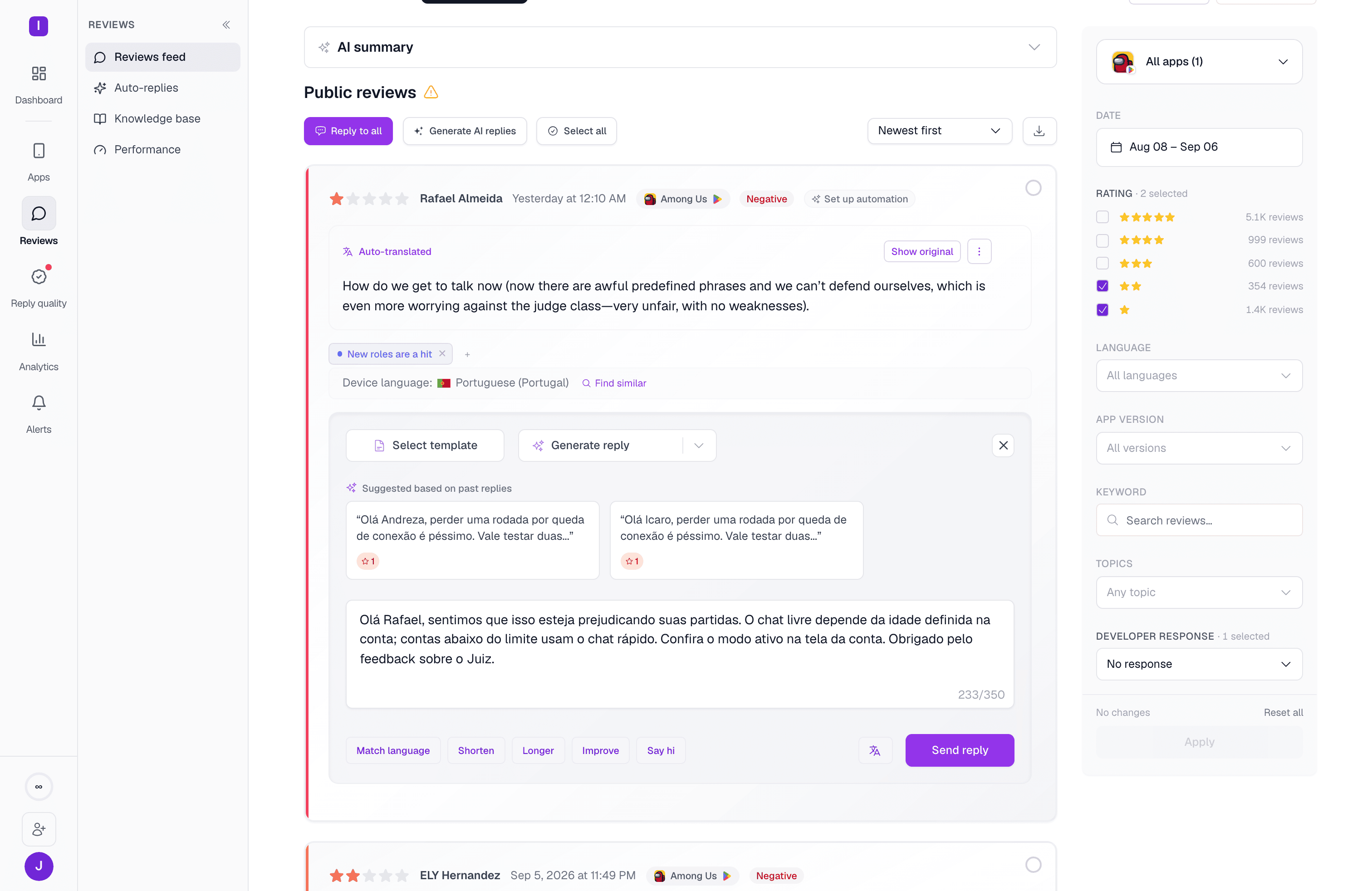
The rule builder’s live preview shows how a rule matches and replies against a sample review, so you can sanity-check conditions before anything goes live. Check that templates read naturally and AI replies sound human and on-brand.Start with a single app and one or two rules. Let it run for 24–48 hours, watch the Reviews feed, and fine-tune based on real reviews.
An AI-generated reply drafted for a review, correctly matched to the reviewer's language and grounded in the knowledge base
You can always reply manually from the Reviews feed too — every manual reply you send helps AppReply MAX learn your voice, making future automated replies feel more natural.Once you’re confident, expand your coverage to more apps and rules.

Next steps

From here, layer in more advanced strategies — handling feature requests, replying across languages, or refining tone with AI rephrasing and translation. Invite your teammates to join your organization so you can share templates, manage replies together in the Reviews feed, and keep your brand voice aligned across the team.

Getting support

Contact support

Get personalized help with setup and optimization