

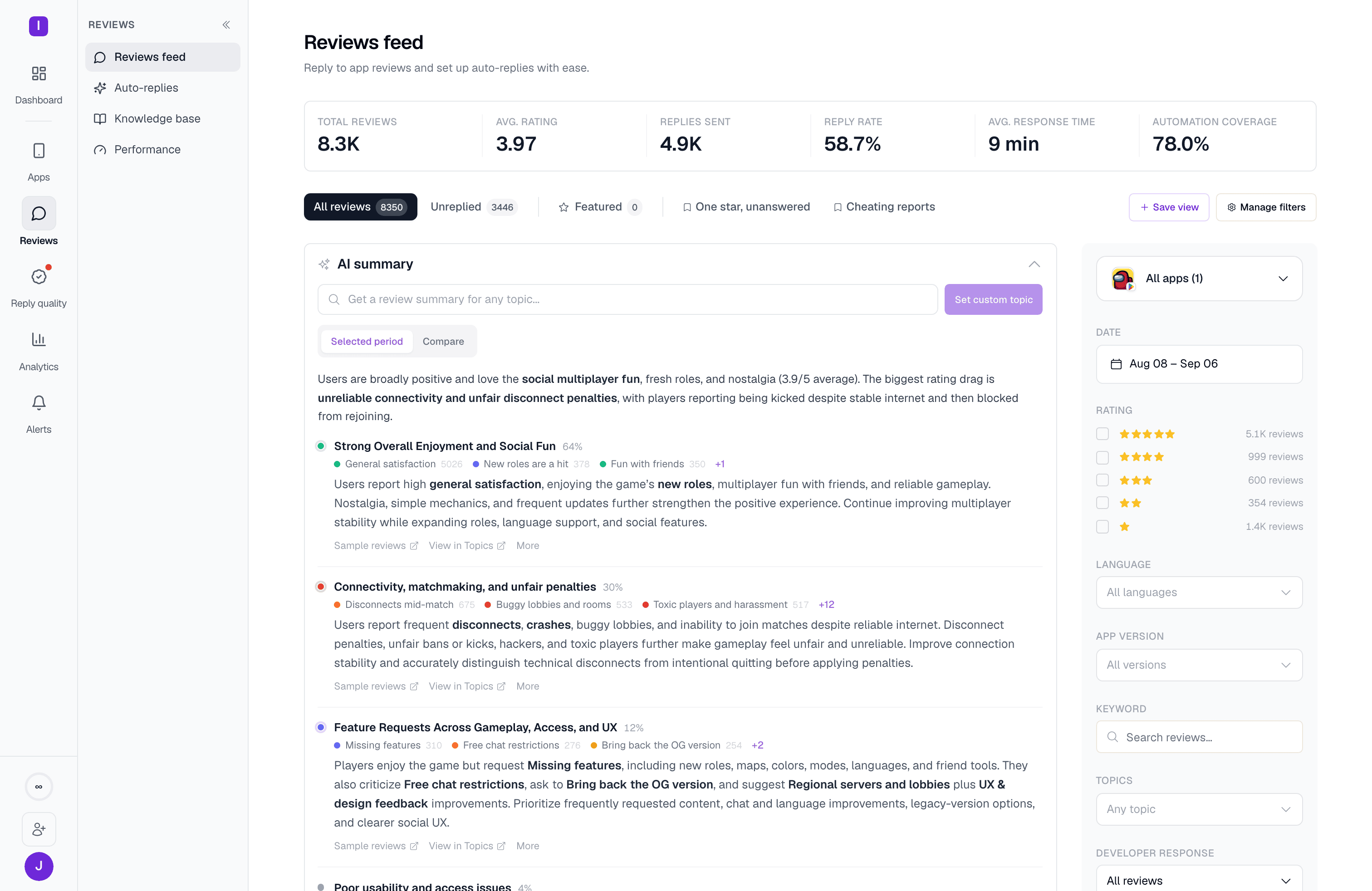
Plan requirement: AI summary is available on Standard and above (including an active trial). Free and Hobby accounts see a locked panel with an upgrade prompt when they try to expand it.
How it works
The panel is collapsed by default. Expanding it for the first time on a given filter set generates a summary from whatever reviews match your current date range, app selection, and other filters — so narrowing your filters before expanding gives you a more focused summary. While it works, the panel shows a progress indicator and can take up to about 15 seconds.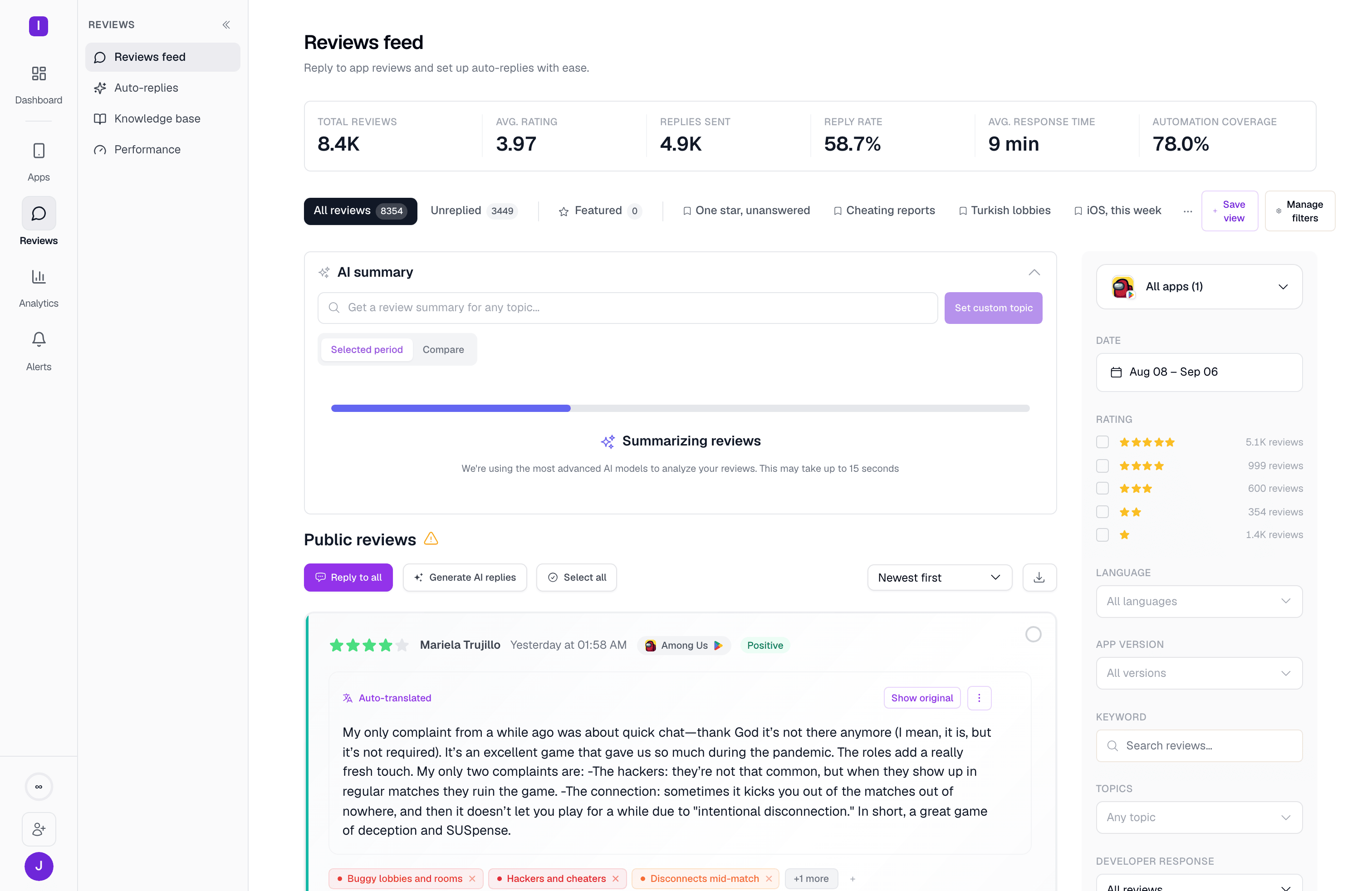
What you get
An executive summary — a few sentences in plain language describing the overall picture for the filtered set, with the most important phrases bolded. Weighted themes — the biggest patterns in the filtered reviews, each with:- A share of reviews it represents (shown as a percentage)
- A sentiment (positive, negative, or mixed)
- A short description plus one actionable recommendation
- Sub-topic pins showing the specific tags that make up the theme, each with its own review count
- Sample quotes pulled directly from real reviews
- A Sample reviews link that filters the review feed down to just that theme
- A new badge when the theme is a topic the AI just discovered, and an anomaly note when the theme’s volume is unusual for the period
Two ways themes get built
If your organization has topics defined and enough of your reviews already carry a topic, the summary builds its themes from your existing topic taxonomy, so the same topic reads consistently from one summary to the next. Without enough topic coverage, it falls back to clustering reviews by their content directly. When coverage is low, the panel nudges you to run topic discovery so future summaries land on the tag-aware path. When the summary discovers genuinely new topics along the way, it says so and adds them to your topic list automatically.Custom topic search
Type any topic into the Get a review summary for any topic… field and click Set custom topic to get a focused summary of just the reviews about that subject, using semantic search rather than a literal text match — so “won’t load” and “crashes on startup” can surface the same underlying reviews.Comparing periods
The panel has a Selected period and a Compare tab. Compare is not built yet: switching to it currently shows a “coming soon” placeholder rather than a period-over-period comparison.After you have a summary
The footer shows how much reading time the summary saved you (based on the number of reviews analyzed), and gives you a few quick actions: thumbs up/down feedback, copy to put the summary and its themes on your clipboard as text, and regenerate to bypass the cache and run it again.CSV export
Export filtered review data for deeper analysis
Translation
Understand international feedback with auto-translation