

Supported languages
AppReply supports translation across roughly 94 languages and regional variants. That includes major global languages (Spanish, French, German, Japanese, Chinese, Arabic), European languages (Italian, Portuguese, Dutch, Russian, Polish), and Asian languages (Korean, Hindi, Thai, Vietnamese, Indonesian). Regional variants get their own entries too — Brazilian versus European Portuguese, or UK, US, Australian, Canadian, and Indian English. Language detection is automatic. You never need to manually specify the source language of a review — AppReply detects it and, if your organization has auto-translation turned on, translates the review text for you.Translation accuracy: Complex technical terms or cultural references can still need a manual check before you send a sensitive response.
Organization-level translation preferences
You can configure translation behavior for your entire organization in Settings > Organization > Translation. These preferences apply across all apps and team members. Auto-translation controls whether incoming reviews are automatically translated. When enabled, reviews in foreign languages are translated as they arrive. Turn it off if your team prefers to translate reviews manually on a case-by-case basis. Target language sets which language reviews are translated into by default. Never-translate list lets you skip translation for specific languages. If your team already reads certain languages natively, add them to this list to avoid unnecessary translation calls — for example, a bilingual team working in English and Spanish might add Spanish to the never-translate list.Translation in alerts
Each alert rule has its own translation setting, separate from these organization preferences. Turn on Translate reviews in alert messages on the rule and pick a language. Every channel then shows the original review first and the translation underneath, but only when the review is written in a different language. With the setting off, alerts show only the original review. See Translation in alerts.Response translation
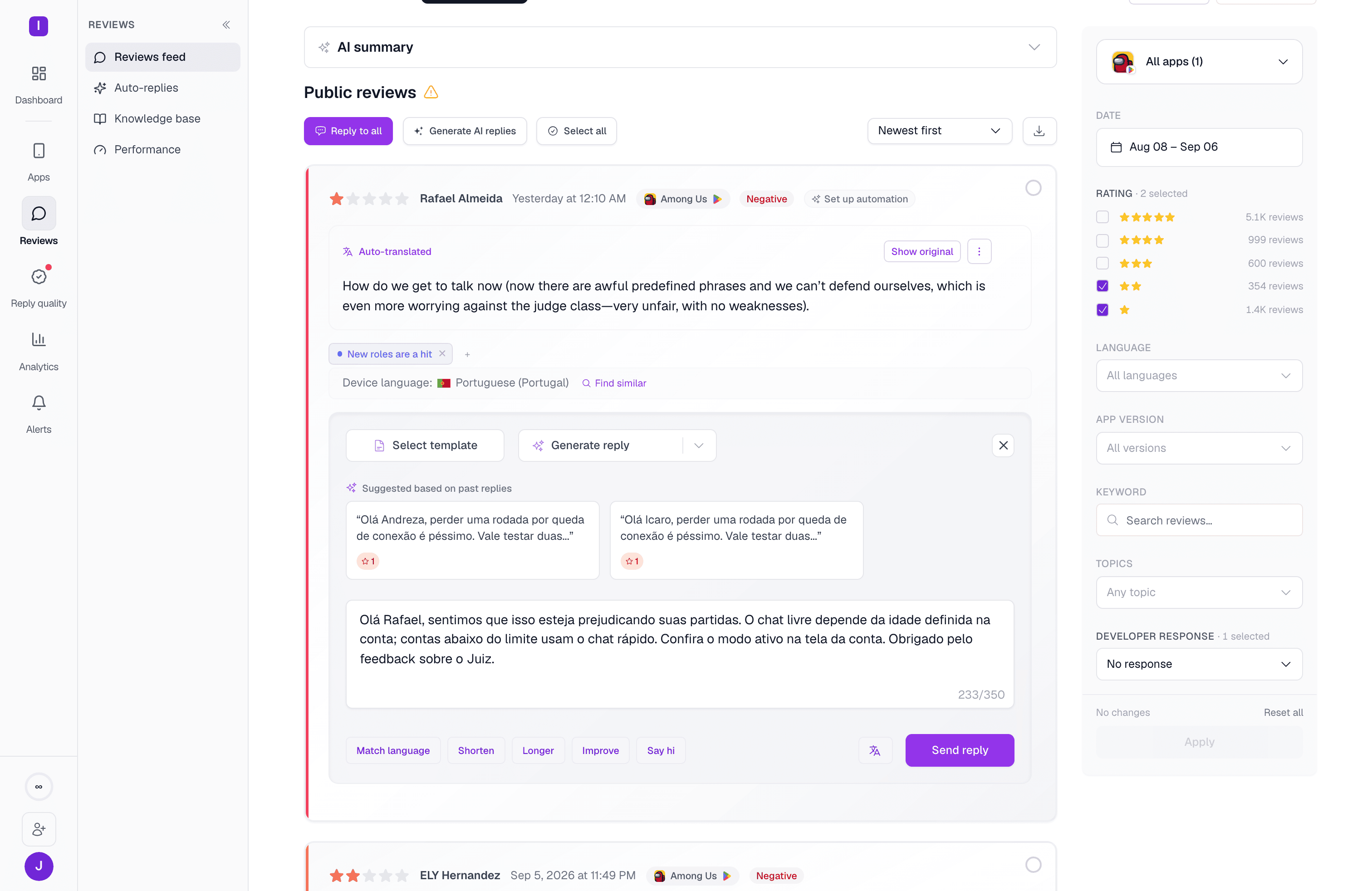
Translation quality assurance
The Translate to English loop above doubles as your accuracy check: it confirms a response written in another language still says what you meant, without you needing to be fluent in the reviewer’s language.Manual AI replies
Learn to use translation tools in the response interface
Reply templates
Create multilingual template libraries