

- Subscription, at
/dashboard/[organization]/settings/subscription. It shows your current plan, usage for the billing cycle, and (for self-serve plans) a portal button for payment methods, invoices, and downgrades. - Invoices, at
/dashboard/[organization]/settings/invoices. It lists your invoices and lets you download each one as a PDF. See Invoices below.
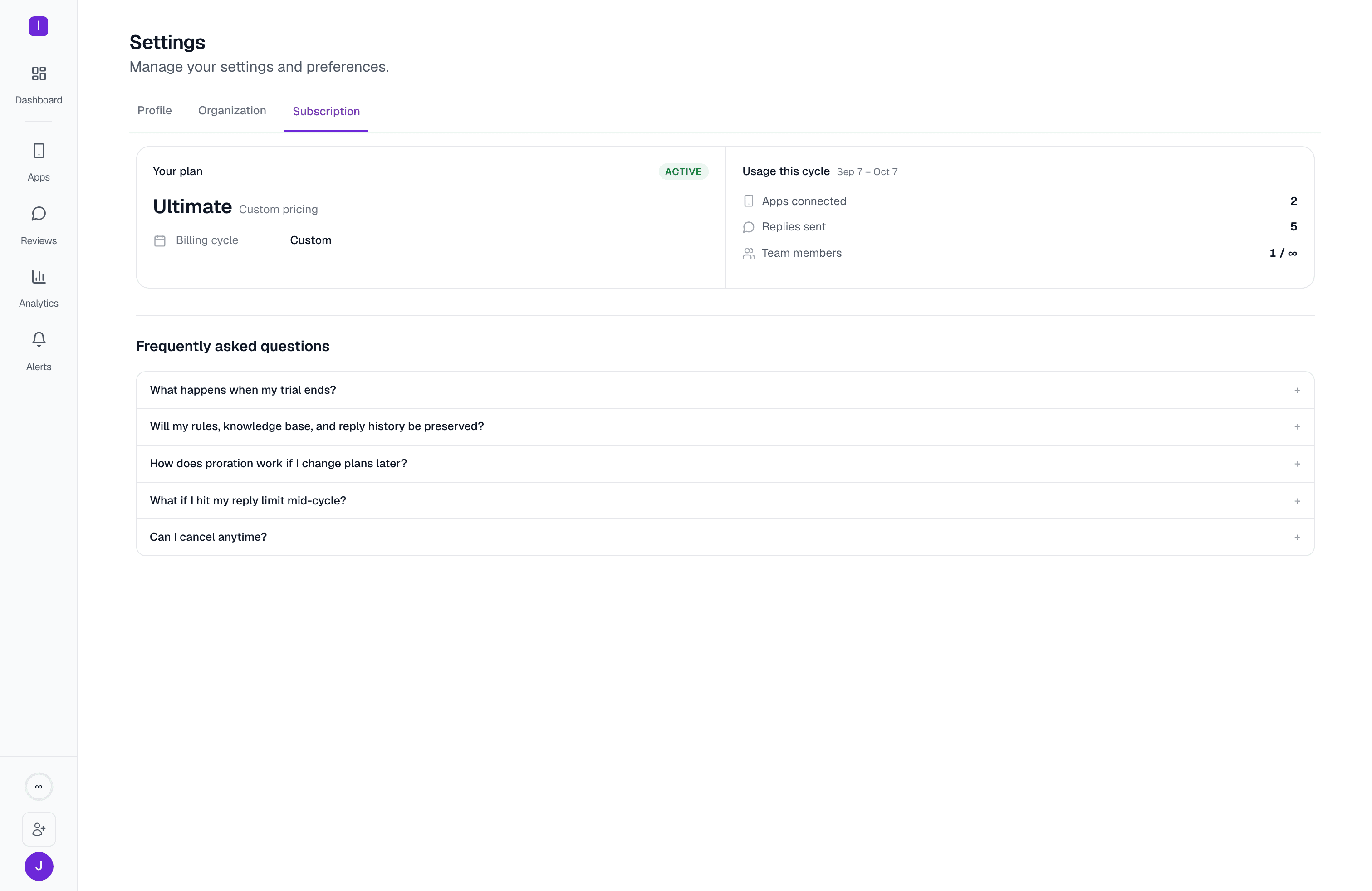
AppReply bills through Lemon Squeezy, not Stripe. The Manage in portal button opens your Lemon Squeezy customer portal, where you update payment methods, download invoices, change to a smaller plan, or cancel. That button (and the trust strip above it) is hidden on the Ultimate plan, which is contact-sales rather than self-serve.
Plans
Hobby is a legacy plan. It’s still fully supported for workspaces already on it, but it isn’t offered to new sign-ups — the self-serve upgrade options for a Free workspace are Standard, Pro, or contact-sales Ultimate.
Trial
New workspaces get a 10-day AppReply trial with a 1,000 monthly reply allowance and unlimited apps and automations for the duration. That’s enough room to connect more than one app and try automations without hitting Free-tier limits while you evaluate the product. The trial is separate from any Lemon Squeezy checkout trial; once a workspace has an active paid subscription, it’s considered converted regardless of trial status.Invoices
Open Billing > Invoices to see your most recent invoices for the current subscription without leaving AppReply. Each row shows:
To download an invoice:
1
Click Download PDF
A Billing details for this invoice dialog opens. Lemon Squeezy needs a billing name and address to generate a complete invoice PDF.
2
Fill in your billing details
Enter Full name / company name, Address, City, ZIP / postal code, and Country (a 2-letter code such as US, GB, or DE). State / province is optional.
3
Click Generate PDF
The PDF opens in a new tab.
- You don’t have permission to view invoices: only the Owner and Account managers can see invoices.
- No active subscription yet: invoices appear once the workspace subscribes to a plan. View plans → takes you to Subscription.
- Ultimate is a custom plan: contact sales for invoices and billing history.
- No invoices yet: they appear after your first billing cycle. If you’ve already been billed, View invoices on LemonSqueezy → opens Lemon Squeezy directly.
- Couldn’t load your invoices: try again later, or use Open billing portal.
Changing plans
Upgrades, downgrades, and cancellations all happen from the Manage in portal button, which is the canonical path for changing your plan — changes prorate against your current billing period. If your subscription lapses or you cancel, the workspace drops back to Free rather than losing data. Your automation rules, knowledge base, integrations, and reply history stay in place — you just lose Pro-only features and fall back to the Free plan’s 100-replies-a-month limit until you resubscribe.Settings
See where billing fits among the rest of your workspace settings
User roles
Owners and Account managers can both manage billing