

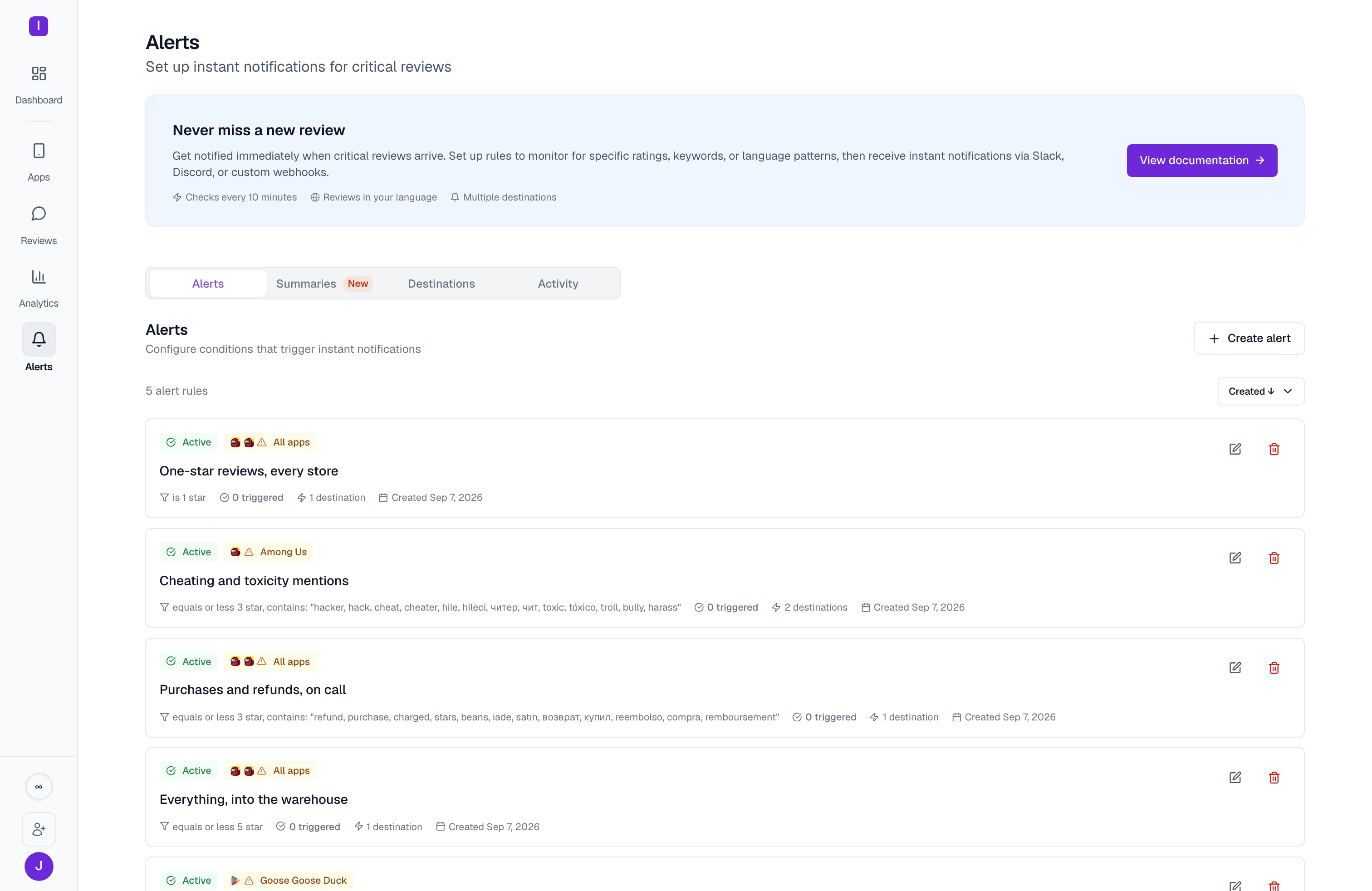
How alerts work
AppReply checks incoming reviews against your alert rules automatically as new reviews are fetched. When a review matches a rule’s conditions, AppReply sends a notification to every channel attached to that rule, either right away or grouped into an hourly or daily digest (see How often). Each rule can watch every one of your own apps, one or more apps you pick, or a single tracked competitor app. You can pause a rule without deleting it. On the Alert rules page, each rule shows its status, its apps, its conditions, how many times it has triggered, how many channels it sends to, and how often it delivers (Instant, Hourly digest, or Daily digest). Click a rule’s name, or its edit icon, to open the rule editor. Use the app filter above the list to see only the rules that cover the apps you pick. A rule that watches every one of your own apps appears under any of them. A competitor app shows only the rules set up for that competitor.Deduplication: each channel receives a given review at most once per rule. A channel that has not received a review yet (for example, one you just added to the rule) can still receive it. An edited review (a reviewer changed their rating or text) is the one exception: it can match and alert again, and it is marked (Updated), with the old and new star rating when the rating changed.
Create an alert rule
1
Open the form
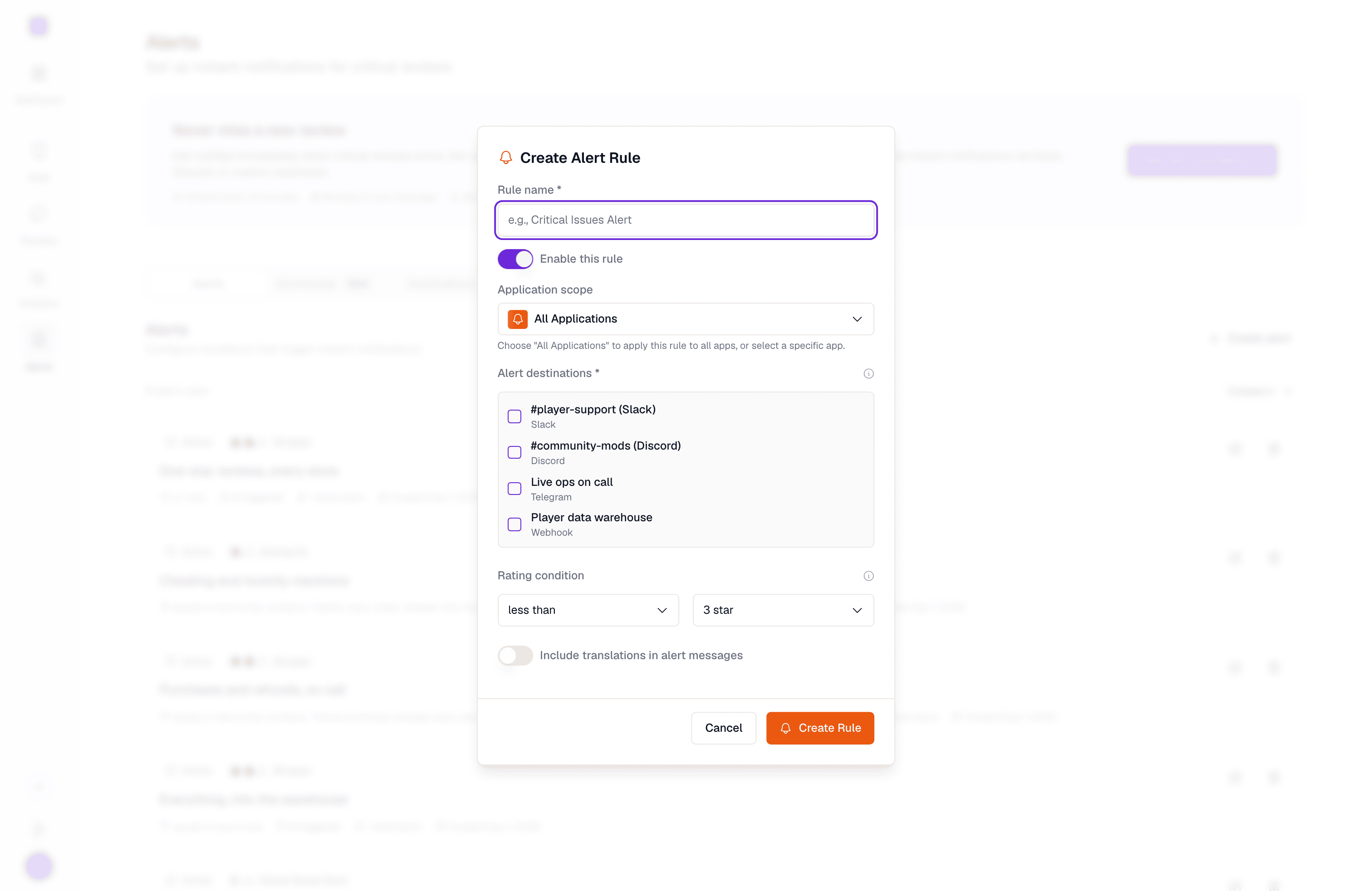
Go to Alerts > Alert rules and click Create alert rule.
2
What to watch
Enter a Rule name, then pick apps under Applications. Choose All applications (every own app, including ones added later, no competitors), or pick one or more app tiles. If you track competitor apps, you can pick a single competitor instead. Each tile shows the app’s status (Connected, Tracked, Not tracked yet, or Needs integration). Saving the rule turns on tracking for apps that are Not tracked yet. An app that Needs integration links to its app page, where you connect the store.
3
When to fire
Set the rating: choose a comparison and click a star value. Then, optionally, add conditions under Additional conditions (see Conditions). Competitor rules fire at or below a 1 to 3 star threshold.
4
Where to send
Pick at least one channel. If you have none yet, click Add a channel to create one without leaving the form. Then choose How often the rule delivers, and optionally turn on Translate reviews in alert messages. Click Create alert rule to finish.
Conditions
Rating
Every rule has a rating condition. Next to Rating is, pick a comparison, then click a star value.Additional conditions
Click Add condition to narrow the rule further. A review must match the rating and every condition you add. These conditions apply to every channel, email included.
Every condition needs an operator and a value before you can save.
A topic is detected a few minutes after a review is stored, so a rule with a topic condition sends once the topic is detected, whichever delivery option you choose.
How often
Under How often, choose when a rule delivers:
A digest goes out on the first run after the hour or after 09:00 UTC, so it can land a few minutes later.
When you switch a rule to a digest, the first digest covers at most the last period (the last hour, or the last 24 hours). Older reviews are not sent, and reviews that the rule already sent instantly are not repeated. An edited review is delivered once per edit, marked (Updated).
If a digest has more reviews than one message can hold, the message ends with “N more follow in the next message” and the rest arrive in the following messages. An instant alert that runs out of room may instead end with “N more matching reviews are not shown here”.
Google Play reports a review’s language with its region (for example
de-at), but a digest reads the stored review, where the language is saved without the region. So a digest rule with a regional language condition matches fewer reviews than an instant rule does. Use the plain language code on a digest rule.Alert channels
Channels are where your notifications get delivered. You manage them on the Channels page. AppReply supports six channel types:Slack
Block-formatted messages via webhook
Discord
Rich embeds with color coding
Telegram
Messages via the AppReply bot
Microsoft Teams
Webhook-based notifications
Sent to one or more recipients
Custom webhook
Raw JSON POST to any endpoint
Translation in alerts
On the Where to send step, turn on Translate reviews in alert messages and pick a language after into: English, Spanish, French, German, Italian, Portuguese, Russian, Japanese, Korean, Chinese, Arabic, or Hindi. Slack, Discord, Telegram, Microsoft Teams and email all use the same layout:- The original review always comes first.
- The translation goes underneath, labelled with its language (for example, Spanish translation:). It appears only when the review is written in a different language from the one you picked.
- If a review cannot be translated, only the original is shown.
- With translations turned off, reviews are delivered in the language they were written in, with no translation.
The translation language only affects the message. It does not filter which reviews trigger the alert: a rule translating into German still fires for reviews in every language. To filter by language, add a Language condition.
translated_text, translated_title and translation_language fields instead (see Payload format).
Messages in Slack, Discord, Telegram, Microsoft Teams and email link back to AppReply. Edit alert opens the rule’s editor.
An alert email opens with what happened (for example, “4 new reviews”), then the app’s icon and name with its store underneath, then the rule’s name. A grouped email also shows the average rating of its reviews.
Bursts of reviews
A rule with Instantly sends each matching review, so a burst of reviews (after a buggy release, say) can mean many messages. If you expect bursts, switch the rule to Hourly digest or Daily digest to group them. Either way, each channel receives each review once per rule.Activity history
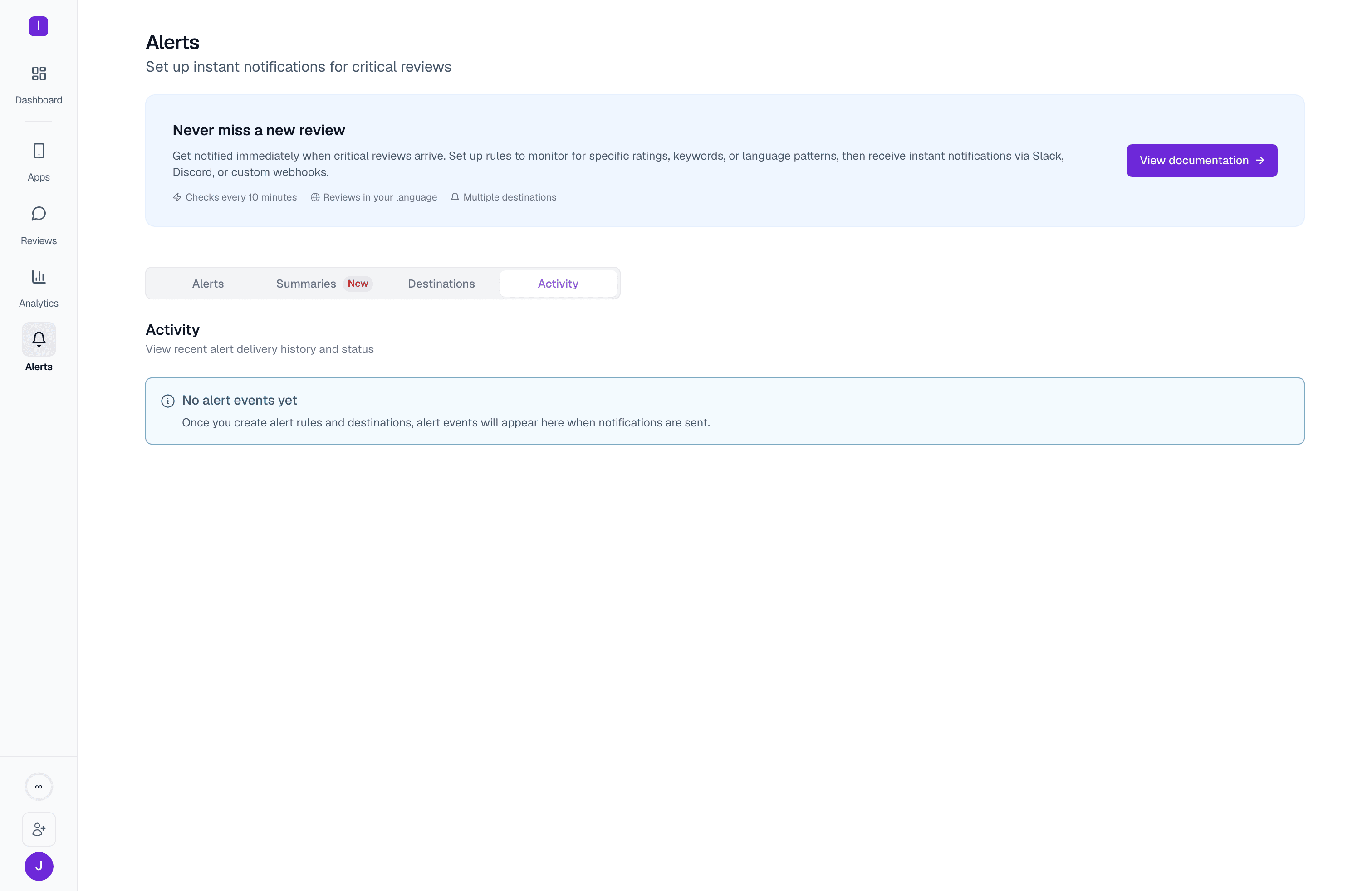
- The rule that triggered
- Which review it fired on
- The channel that received (or should have received) the notification
- Status: sent or failed (older entries may also show retrying or throttled)
- The timestamp it was sent
A channel that fails delivery three times in a row is automatically disabled to stop it from silently swallowing every future alert; its status badge shows Disabled with the reason. Re-enable it from the Channels page once the underlying issue (an expired webhook, a deleted Slack channel, and so on) is fixed.
Summary reports
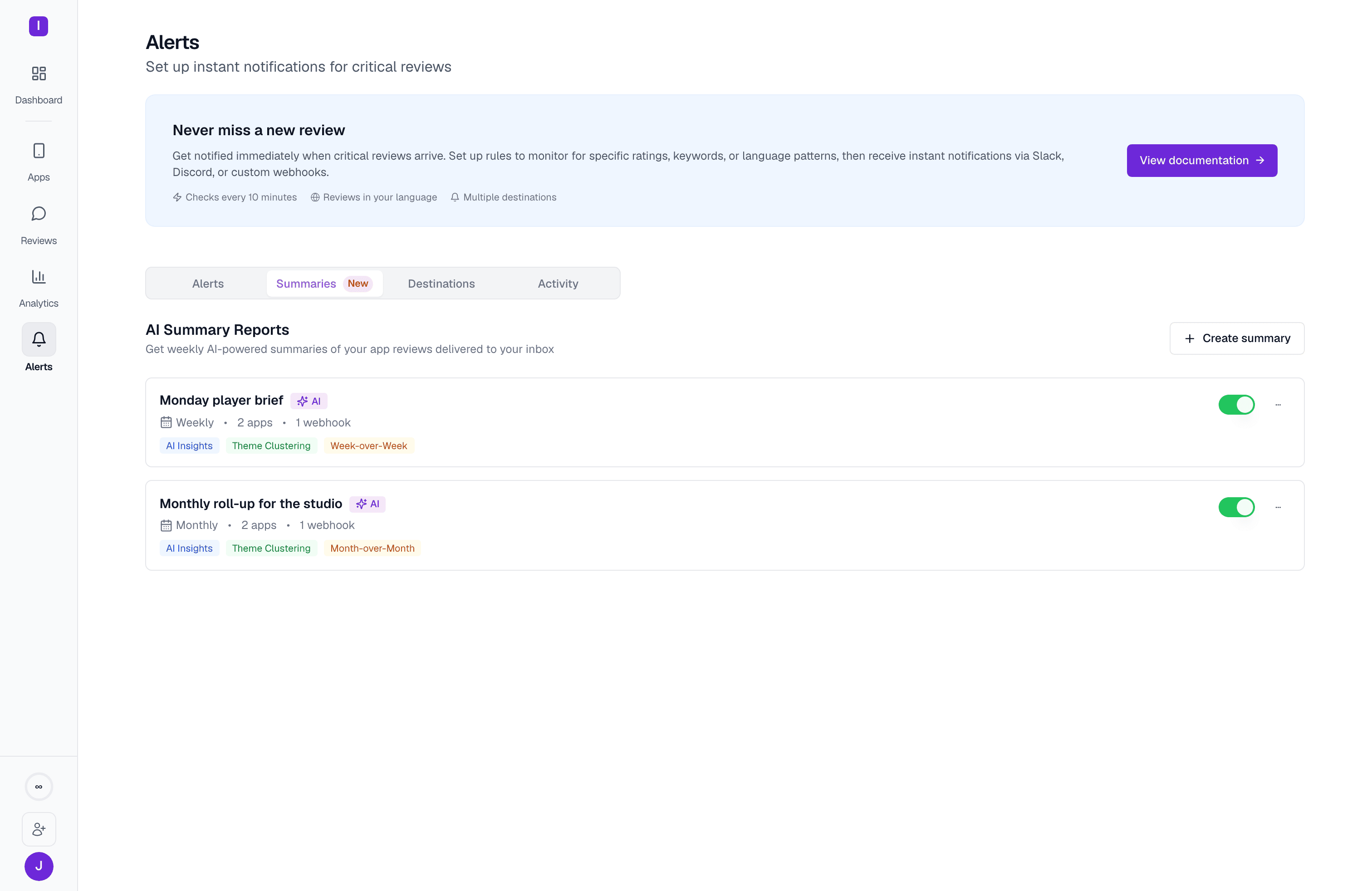
Schedule
Each report is sent once per period, at 09:00 UTC:
If a scheduled run is missed, the report is sent on a later run within 24 hours. After that, use Trigger now to send it.
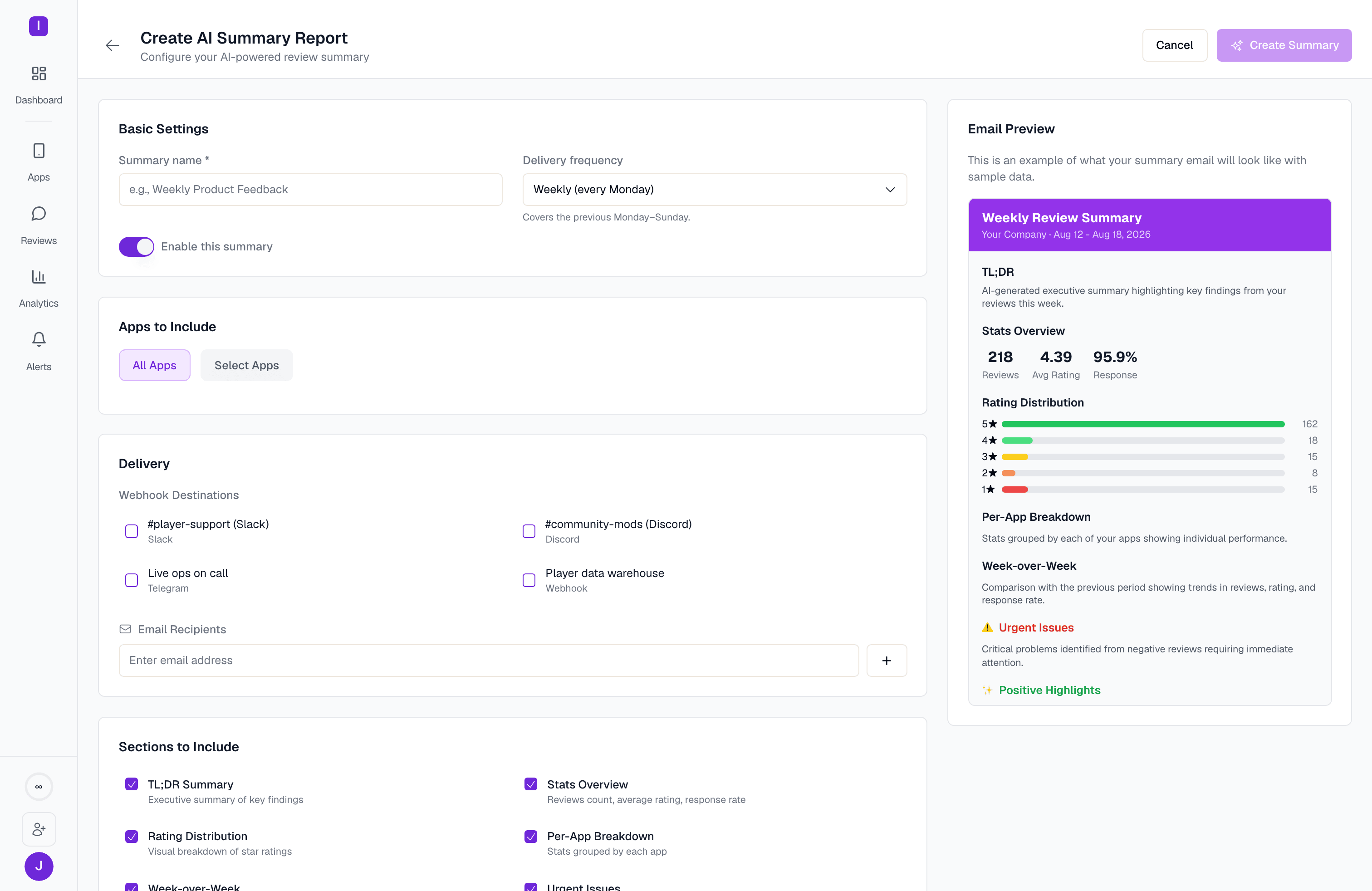
Create a summary report
1
Open the form
Go to Alerts > Summary reports and click Create summary report.
2
What to report
Enter a Report name and pick the apps under Applications. Under Which reviews, leave the conditions empty to summarize every review, or add a Language condition (written in or not written in) to narrow the report to certain languages.
3
What's inside
Under How often, pick Daily, Weekly, or Monthly. Under What is inside, turn sections on or off: TL;DR, Stats overview, Rating distribution, Per-app breakdown, the period comparison (Day-over-day, Week-over-week, or Month-over-month, depending on the schedule), Urgent issues, Positive highlights, and Key themes. A preview of the email updates beside the form.
4
Where to send
Pick at least one tile. Saved channels are shared across reports and rules. The Direct email tile sends to addresses you type for this report only. Click Create summary report to finish.
Manage reports
Each report card shows its schedule, its apps, how many direct addresses and channels it sends to, its language filter (if any), and the comparison it includes. The last report’s period, status (Delivered, Failed, Generating, or Pending), review count, and average rating appear at the bottom. Click the report name to open the editor. Use the switch to pause or resume a report. The ⋯ menu has Edit, Trigger now, and Delete. Use the app filter above the list to see only the reports that cover the apps you pick. Summary reports cover apps connected through a store API, so apps without one are listed in the filter but greyed out. Trigger now sends the report for the last complete period straight away, even if that period was already sent. The confirmation dialog names who will receive it (for example, “2 direct addresses and 1 channel”).Period comparison
The comparison section compares a report only with an earlier report of the same length. It is headed Day-over-Day, Week-over-Week, or Month-over-Month. When the earlier report is not for the period right before (for example, because a day was missed), it is headed Versus Previous Report instead.What a summary email contains
The email starts with the TL;DR. With Stats overview on, a stats card follows, with the app’s Store rating (and whether it went up or down this period), Coverage (the share of reviews that got a reply), Reviews (with how many AppReply answered), and Avg rating of this period’s reviews. The per-app breakdown shows each app’s icon, and each app name opens its reviews for the report’s period in AppReply. The breakdown lists up to 20 apps in full, then names the rest on one Also: line. When a report is filtered by language, the email says which reviews it covers, and the report name leads the subject line. Webhook destinations receive a JSON payload whoseevent is daily_summary, weekly_summary, or monthly_summary, with a frequency field set to daily, weekly, or monthly.
Report language
Summaries are written in your organization’s translation language, the Target language in your organization translation preferences. The analysis (the TL;DR, themes, recommendations, urgent issues and highlights), the headings and labels, and the translations shown under reviewer quotes all use that language. Reviewer quotes stay in the language the reviewer wrote them in. When no translation language is set, summaries are written in English. The fixed words in the email subject line stay in English, so filters and rules you have set up on it keep working. The date in the subject is written in the report’s language.What a key theme looks like
Every key theme in a summary follows the same structure, whichever channel it arrives in:- The theme, with its sentiment and how many reviews it covers.
- What users say: a short description of the problem or praise.
- Next step: one concrete recommendation. Themes with nothing to act on, which is common for praise, show no recommendation rather than a generic one.
- A reviewer quote: one review’s own words, shown as a quote so it stands apart from the analysis. When the review is in a different language from the report, a translation appears underneath, labelled Translation, so the reviewer’s words and the translation are never confused.
Alert destinations
Set up Slack, Discord, Telegram, Teams, email, or webhooks
Review feed
Filter and manage your reviews