

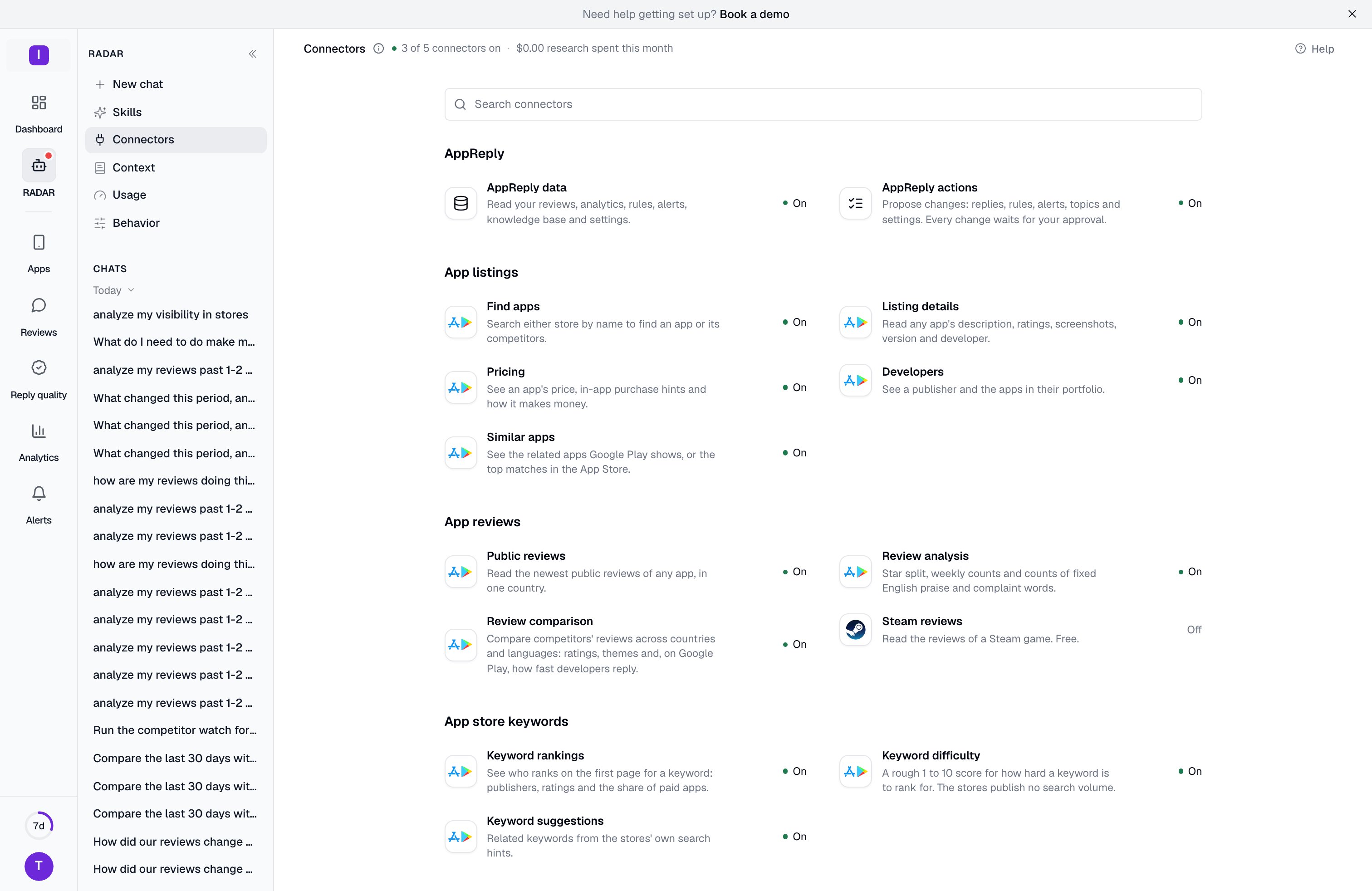
The five connectors
The page lists the things RADAR can do, grouped by kind (AppReply, App listings, App reviews, App store keywords, Social, Review sites, Web, Keywords and AI answers). Each row shows whether the connector behind it is On, Off or Not available. Click a row to open that connector. Behind the rows there are five connectors:
Some tools, such as web search, keyword demand, AI engine answers and Steam reviews, can be reached through either research connector. They stay available while at least one of the two is on. Steam reviews are free.
Turning off AppReply actions does not stop RADAR from answering questions. It stops RADAR from proposing changes, including saves to the shared memory. A change already waiting on a card cannot be approved while AppReply actions are off: the card says “AppReply actions are switched off for this organization, so this change was not made.” You can still reject it, or switch the connector back on and approve it. Turning off AppReply data means RADAR cannot read your reviews or settings, so the page asks you to confirm first.
Research connectors
The two research connectors send searches to an outside service:treg.to for web and social research, and monid.ai for review sites and search data. Each dialog shows the service under Sends data to.
What they receive is limited. The research lookups take names, domains and keywords as input, not review text or personal data.
The first time an Admin switches one on, they have to tick a box that says so before saving. The dialog then shows who accepted it and when, behind its Who changed this tip.
Each research dialog also has a Sources list that shows what RADAR can reach through that connector and whether it works: Works now, Not verified yet or Not offered. Trustpilot and G2 are often blocked by the sites themselves, and nothing is charged when that happens.
Cost and budget
The other connectors are included. Research lookups are paid per lookup, typically a fraction of a cent. To keep this under control:- Each research connector has a Monthly budget, from $1 to $25. It starts at $25. Set it lower to cap one connector.
- Your organization can spend at most $25 a month and $2 a day on research, across both connectors together.
- When a connector reaches its budget, RADAR stops using it for the rest of the month. The count starts again on the 1st (UTC).
Who can change them
Everyone in the organization can open a connector and read how it is set up. Only an Admin or Owner can change it. For everyone else the switch shows the current state but cannot be moved, the dialog says Only an Admin can change connectors, and its button reads Close.1
Open the connector
On the Connectors page, click a row. A dialog opens with a description, where the data goes, what it costs and the switch.
2
Switch it on or off
Use On for this organization. For a research connector you can also set the monthly budget, and tick the acceptance box the first time.
3
Save
Click Save. The change applies to the whole organization.
Narrow a single chat
An Admin’s choice sets the most RADAR can read. You can use less in one chat. Click the plus button next to the message field and choose Sources, or type/sources. The list shows the sources that are switched on for your organization. Turning one off there changes that chat only.
If nothing is switched on, the list says so and points to the Connectors page.