> ## Documentation Index
> Fetch the complete documentation index at: https://docs.appreply.co/llms.txt
> Use this file to discover all available pages before exploring further.
# Topics
> The topic taxonomy AppReply uses to automatically classify reviews — built-in topics, your own, and AI discovery
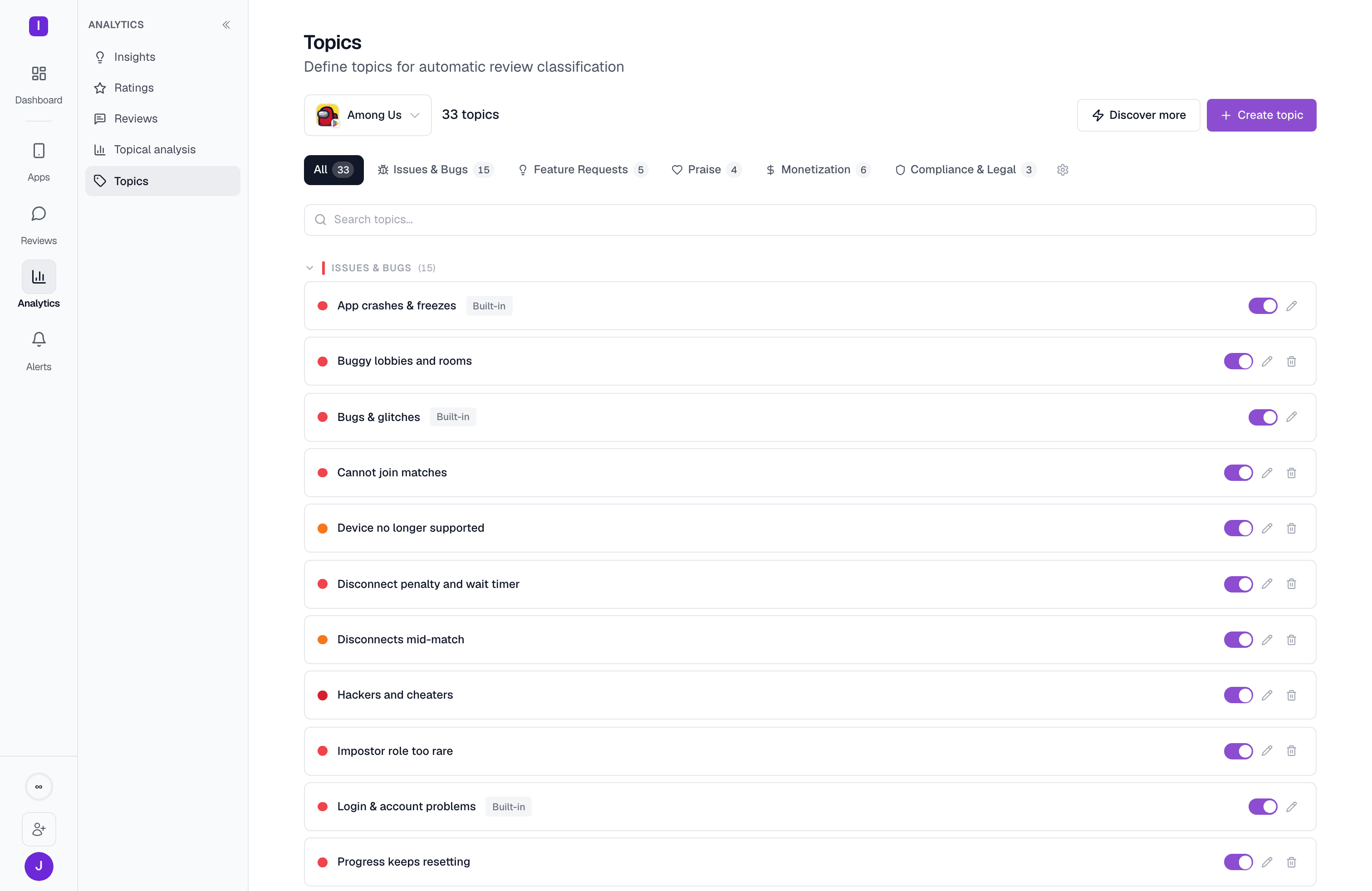 Topics are the taxonomy AppReply uses to automatically tag every incoming review by theme — crashes, pricing complaints, praise for a specific feature, and so on. In the dashboard, this page lives under **Analytics > Topics** in the sidebar, and it handles the taxonomy directly: creating, tuning, and organizing topics. To explore what's already been tagged — volume, sentiment, and rating per topic — see [Topical analysis](/analytics/topics) instead; that page links back here as "Manage topics."
Every review that carries a topic feeds three places: the [review feed's](/review-management/review-feed) topic filter, the [Topical analysis](/analytics/topics) explorer, and the topic "arcs" on [Insights](/analytics/insights).
Topics are defined **per app**, not per organization. Switch apps at the top of the page to manage a different app's taxonomy — each app keeps its own list, even though the built-in topics start out identical everywhere.
## Two layers: built-in and curated
Every topic has a `source`, visible as a badge on its row:
* **Built-in** — 20 pre-defined topics AppReply seeds into every app the moment it's connected. They cover the themes almost every app sees: crashes and freezes, login problems, slow performance, bugs, update regressions, missing features, UX complaints, four flavors of praise (general satisfaction, ease of use, reliability, usefulness), pricing and subscription complaints, ad overload, and compliance/legal mentions. Their name and description are shared canon across every account and can't be edited or deleted — but the **similarity threshold**, **color**, and **category** are yours to tune per app.
* **Curated (yours)** — topics you create yourself, or approve from AI discovery (below). Fully editable and deletable.
Topics are the taxonomy AppReply uses to automatically tag every incoming review by theme — crashes, pricing complaints, praise for a specific feature, and so on. In the dashboard, this page lives under **Analytics > Topics** in the sidebar, and it handles the taxonomy directly: creating, tuning, and organizing topics. To explore what's already been tagged — volume, sentiment, and rating per topic — see [Topical analysis](/analytics/topics) instead; that page links back here as "Manage topics."
Every review that carries a topic feeds three places: the [review feed's](/review-management/review-feed) topic filter, the [Topical analysis](/analytics/topics) explorer, and the topic "arcs" on [Insights](/analytics/insights).
Topics are defined **per app**, not per organization. Switch apps at the top of the page to manage a different app's taxonomy — each app keeps its own list, even though the built-in topics start out identical everywhere.
## Two layers: built-in and curated
Every topic has a `source`, visible as a badge on its row:
* **Built-in** — 20 pre-defined topics AppReply seeds into every app the moment it's connected. They cover the themes almost every app sees: crashes and freezes, login problems, slow performance, bugs, update regressions, missing features, UX complaints, four flavors of praise (general satisfaction, ease of use, reliability, usefulness), pricing and subscription complaints, ad overload, and compliance/legal mentions. Their name and description are shared canon across every account and can't be edited or deleted — but the **similarity threshold**, **color**, and **category** are yours to tune per app.
* **Curated (yours)** — topics you create yourself, or approve from AI discovery (below). Fully editable and deletable.
 ## Creating a topic
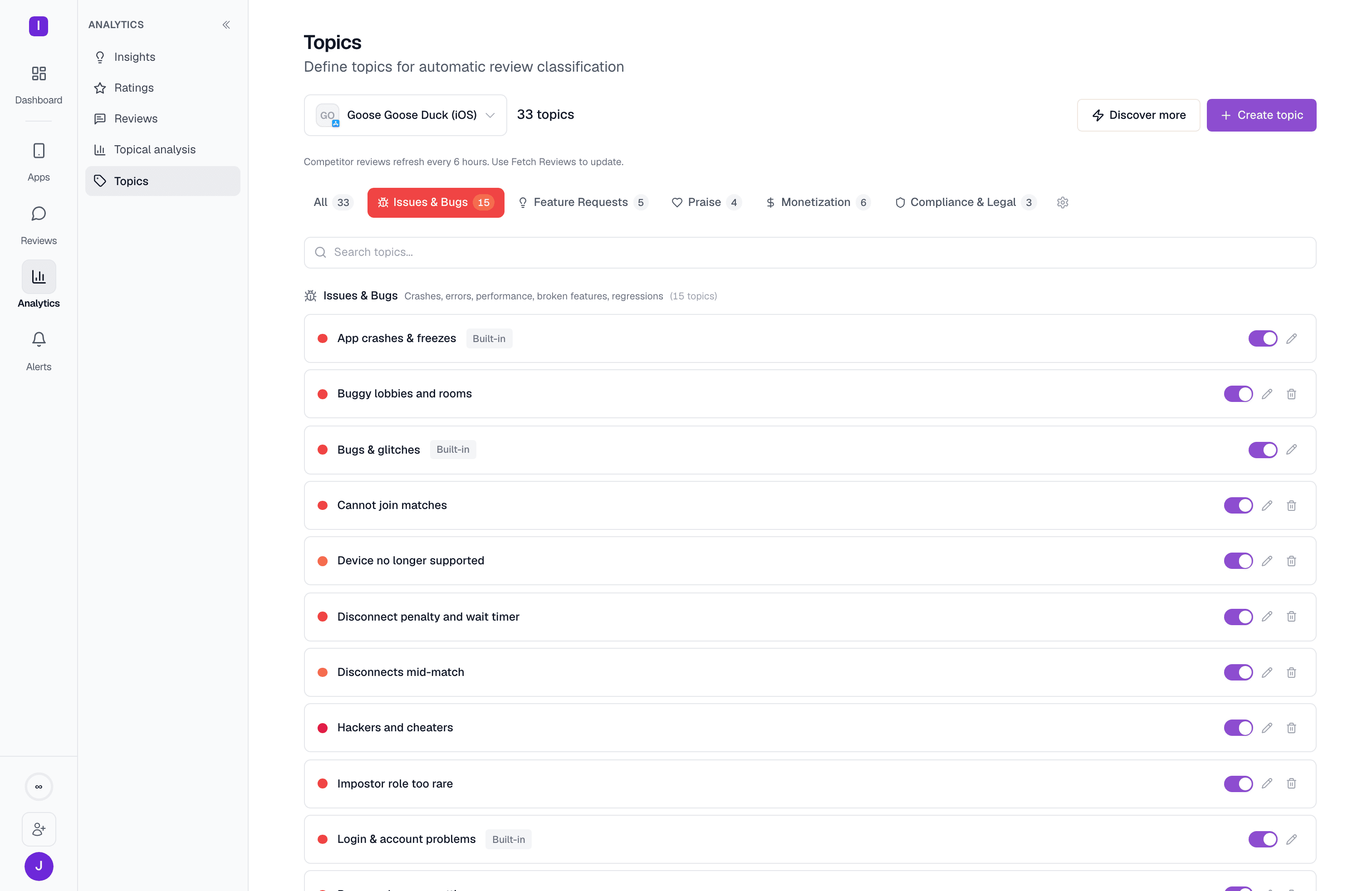
Click **Create topic** and fill in:
* **Name** — required.
* **Description** — what reviews in this topic express. This is what AppReply actually matches against: a review's text is compared to the topic's description by semantic similarity, so a vague description ("bugs") classifies worse than a specific one ("app crashes, freezes, or force-closes during normal use"). A topic saved without a description won't auto-classify anything until you add one.
* **Color** — for the badges and charts.
* **Category** — optional; assign it to one of your org's categories or leave it uncategorized.
* **Similarity threshold** — a slider from 0.50 (broader matching, more reviews qualify) to 0.95 (stricter, fewer false positives).
Saving runs a backfill against your recent reviews and reports how many matched (or that it's still scanning, for a large window) — so you get an immediate read on whether the description is calibrated well before you rely on it.
## Creating a topic
Click **Create topic** and fill in:
* **Name** — required.
* **Description** — what reviews in this topic express. This is what AppReply actually matches against: a review's text is compared to the topic's description by semantic similarity, so a vague description ("bugs") classifies worse than a specific one ("app crashes, freezes, or force-closes during normal use"). A topic saved without a description won't auto-classify anything until you add one.
* **Color** — for the badges and charts.
* **Category** — optional; assign it to one of your org's categories or leave it uncategorized.
* **Similarity threshold** — a slider from 0.50 (broader matching, more reviews qualify) to 0.95 (stricter, fewer false positives).
Saving runs a backfill against your recent reviews and reports how many matched (or that it's still scanning, for a large window) — so you get an immediate read on whether the description is calibrated well before you rely on it.
 ## Discovering topics automatically
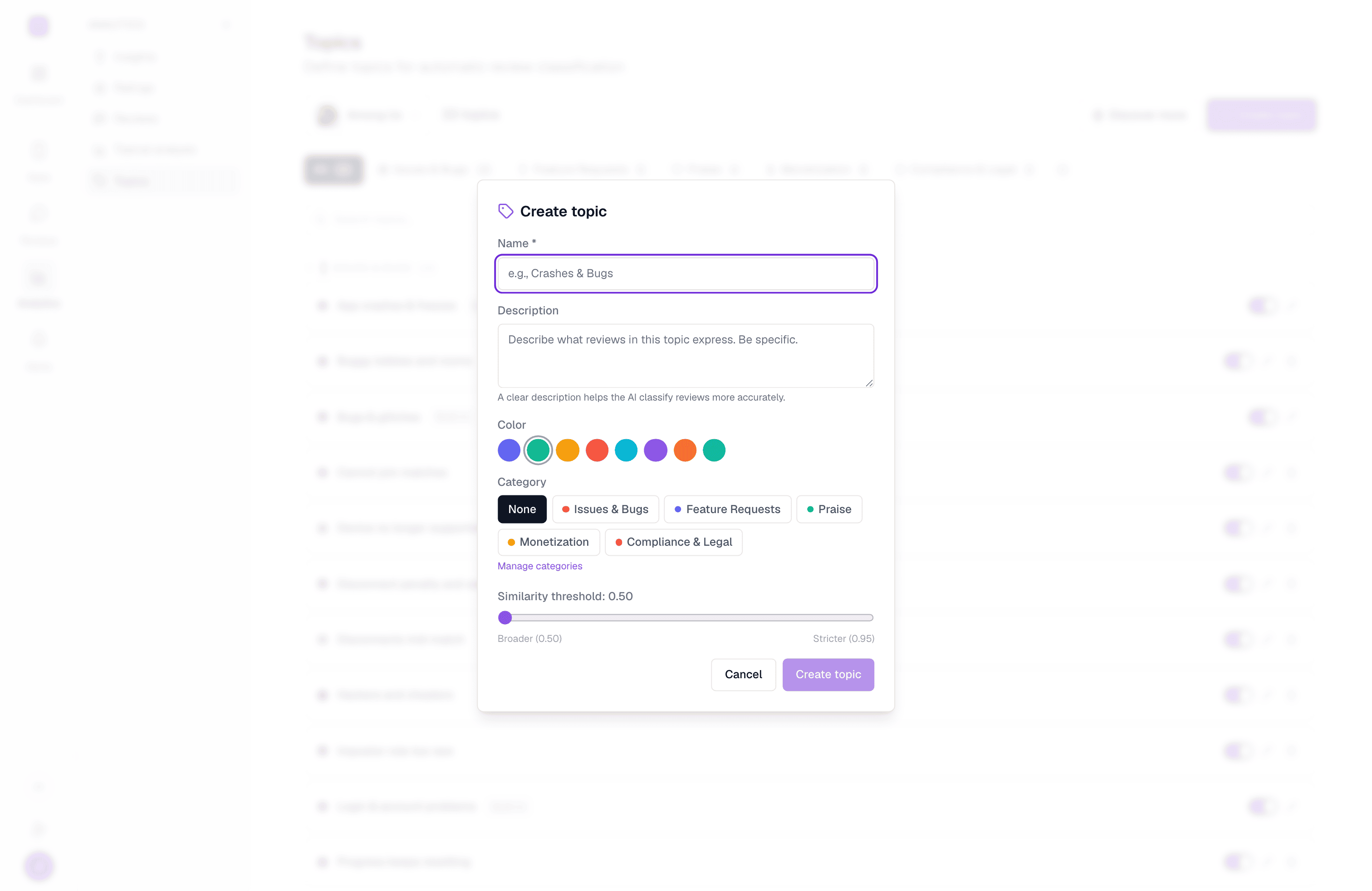
Rather than defining every topic by hand, click **Auto-discover topics** (or **Discover more** once you already have some). AppReply reads your existing reviews and proposes new topics it finds recurring — a progress bar tracks the pass, and you can cancel mid-run. Discovering topics needs at least 20 reviews with text for the selected app; if you're short, a **Fetch Reviews** button pulls the latest batch first.
Discovered topics land **inactive**, badged **Discovered - needs approval** — they don't classify anything until you review and turn them on. Flipping a discovered topic's toggle on approves it and immediately kicks off matching against existing reviews, the same as creating one manually.
## Discovering topics automatically
Rather than defining every topic by hand, click **Auto-discover topics** (or **Discover more** once you already have some). AppReply reads your existing reviews and proposes new topics it finds recurring — a progress bar tracks the pass, and you can cancel mid-run. Discovering topics needs at least 20 reviews with text for the selected app; if you're short, a **Fetch Reviews** button pulls the latest batch first.
Discovered topics land **inactive**, badged **Discovered - needs approval** — they don't classify anything until you review and turn them on. Flipping a discovered topic's toggle on approves it and immediately kicks off matching against existing reviews, the same as creating one manually.
 ## Categories
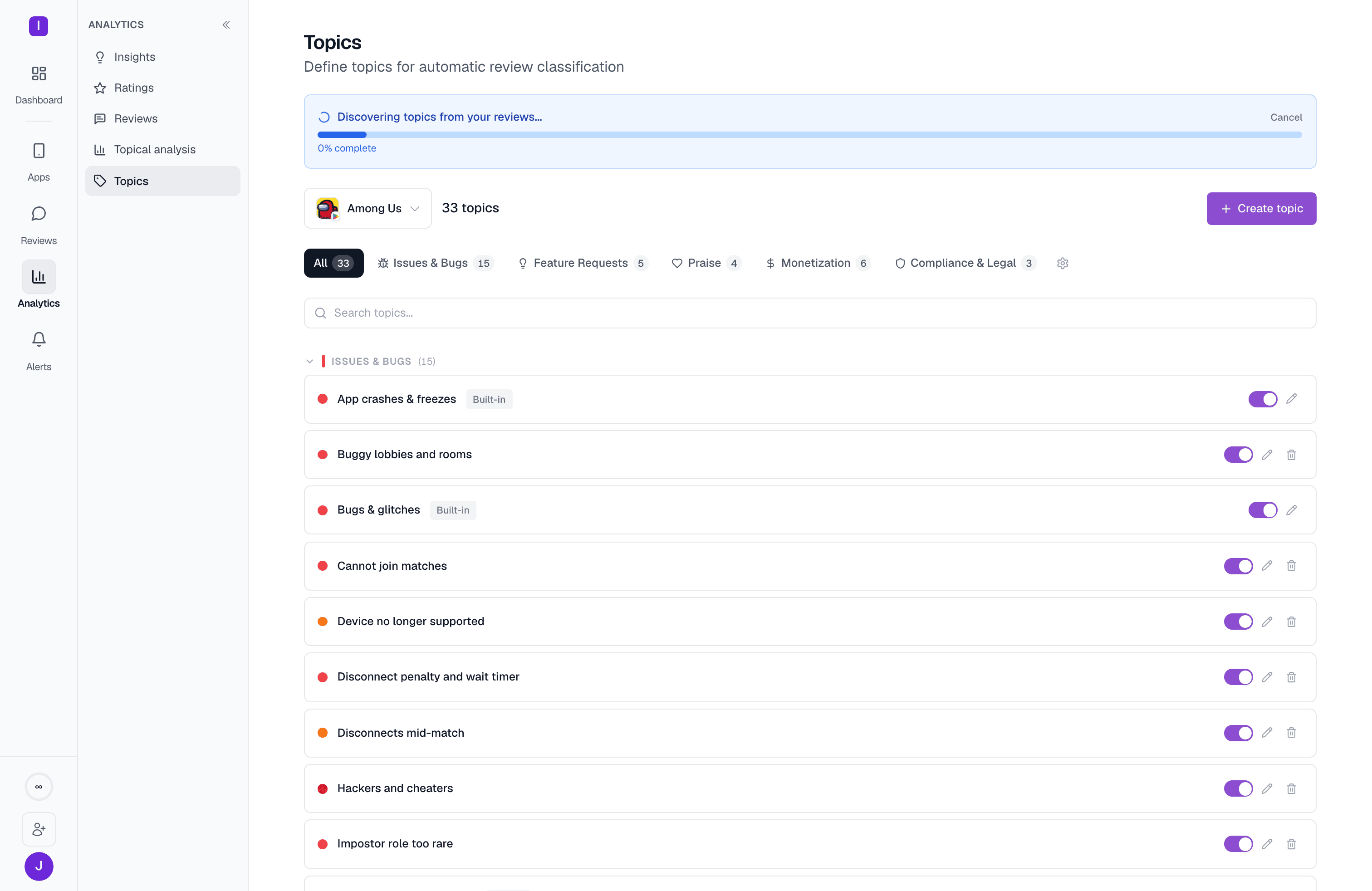
Topics are grouped into **categories** — shown as collapsible sections on this page, and as the filter tabs at the top. Categories belong to the organization, not a single app, so they stay consistent as you manage topics across your portfolio. Every org starts with five: Issues & Bugs, Feature Requests, Praise, Monetization, and Compliance & Legal — matching where the built-in topics land — and you can add your own from **Manage categories** (name, description, color, and an icon).
## Categories
Topics are grouped into **categories** — shown as collapsible sections on this page, and as the filter tabs at the top. Categories belong to the organization, not a single app, so they stay consistent as you manage topics across your portfolio. Every org starts with five: Issues & Bugs, Feature Requests, Praise, Monetization, and Compliance & Legal — matching where the built-in topics land — and you can add your own from **Manage categories** (name, description, color, and an icon).
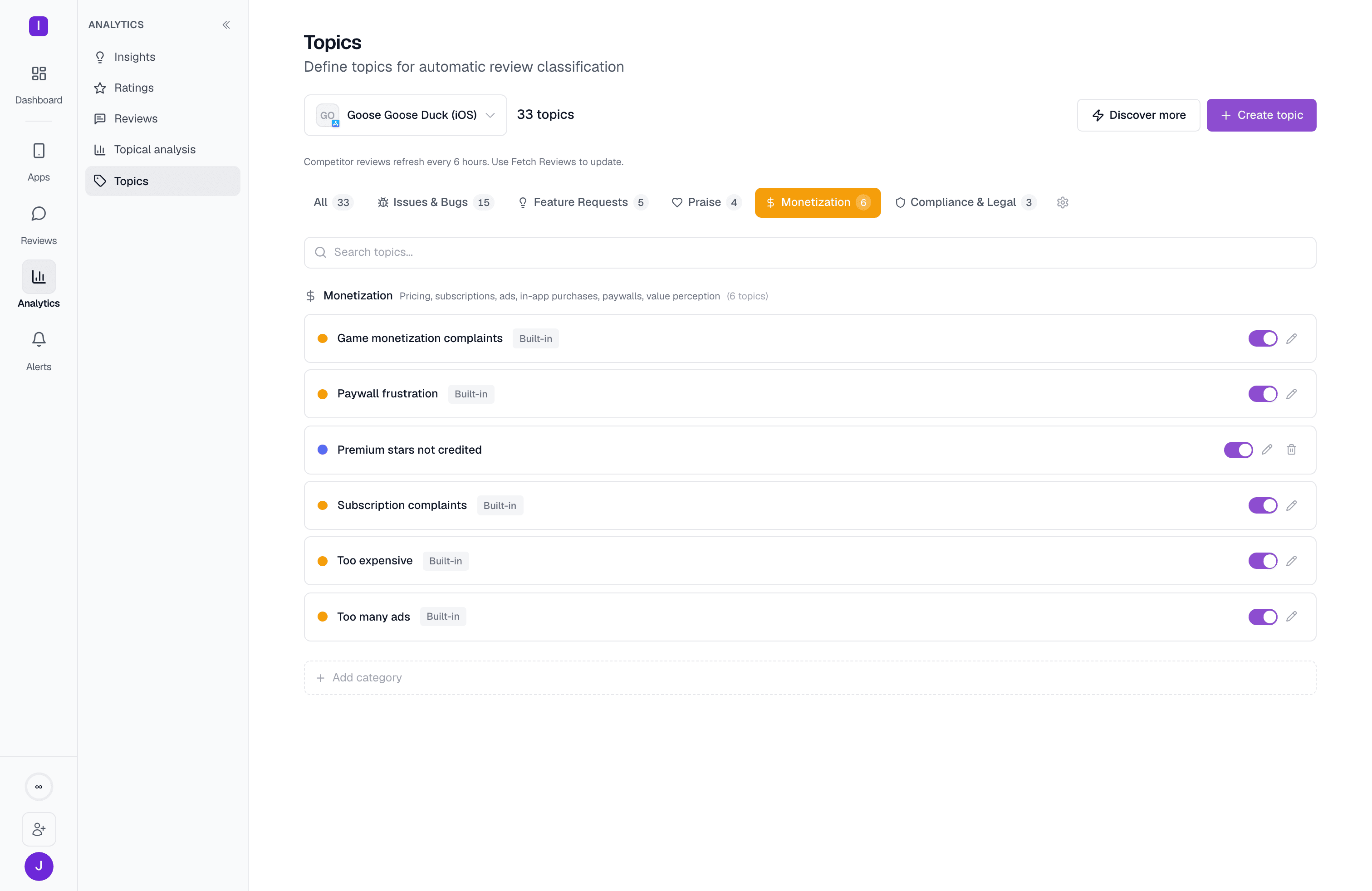 ## Managing existing topics
Each row has a toggle (disabling a topic stops it from matching new reviews without deleting its history), an edit pencil, and — for anything except a built-in topic — a delete button with an inline confirm step. Use the search box to jump to a topic by name, or the category tabs to narrow the list; a match-count badge shows how many reviews currently carry each topic.
Explore every topic by volume, sentiment, or rating for one app
See which topics are trending or anomalous this week
## Managing existing topics
Each row has a toggle (disabling a topic stops it from matching new reviews without deleting its history), an edit pencil, and — for anything except a built-in topic — a delete button with an inline confirm step. Use the search box to jump to a topic by name, or the category tabs to narrow the list; a match-count badge shows how many reviews currently carry each topic.
Explore every topic by volume, sentiment, or rating for one app
See which topics are trending or anomalous this week